Getting Started10
Getting Started
1
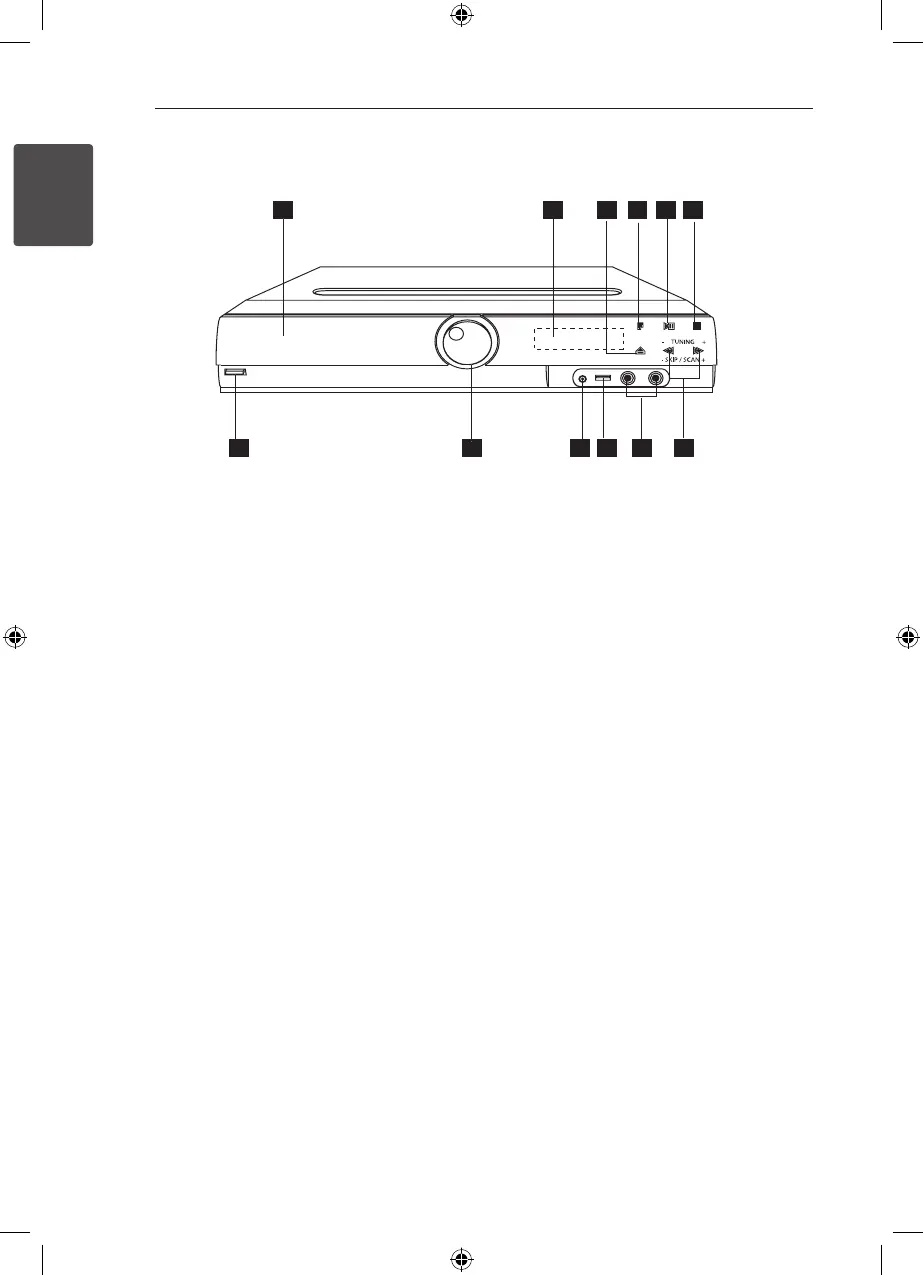
Front panel
a
DVD/CD Disc Drawer
b
Display window
c
Open/Close (
B
)
d
Function (F)
Selects the function or input source.
e
Play/Pause (
d
/
M
)
f
Stop (
Z
)
g
TUNING (-/+) (
c/v
), SKIP/SCAN (-/+)
You can search chapter/ track/ le by pressing
and holding
c/v
.
h
MIC 1/ 2
i
USB port
You can play video, image and sound les by
connecting the USB device.
j
PORT. (Portable) IN port
You can enjoy music from portable device on
your unit.
k
Volume (VOL.)
l
Power (
1
/
!
)
HT306SU-A2_BISRLLK_ENG_5736.indd 10 2011-04-08 �� 2:44:50



 To Next Page