EasyManua.ls Logo

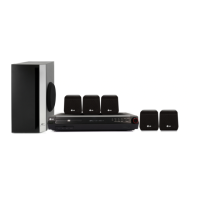
LG HT353SD - Service Manual

LG HT353SD
81 pages
Print Icon
To Next Page IconTo Next Page
Loading...
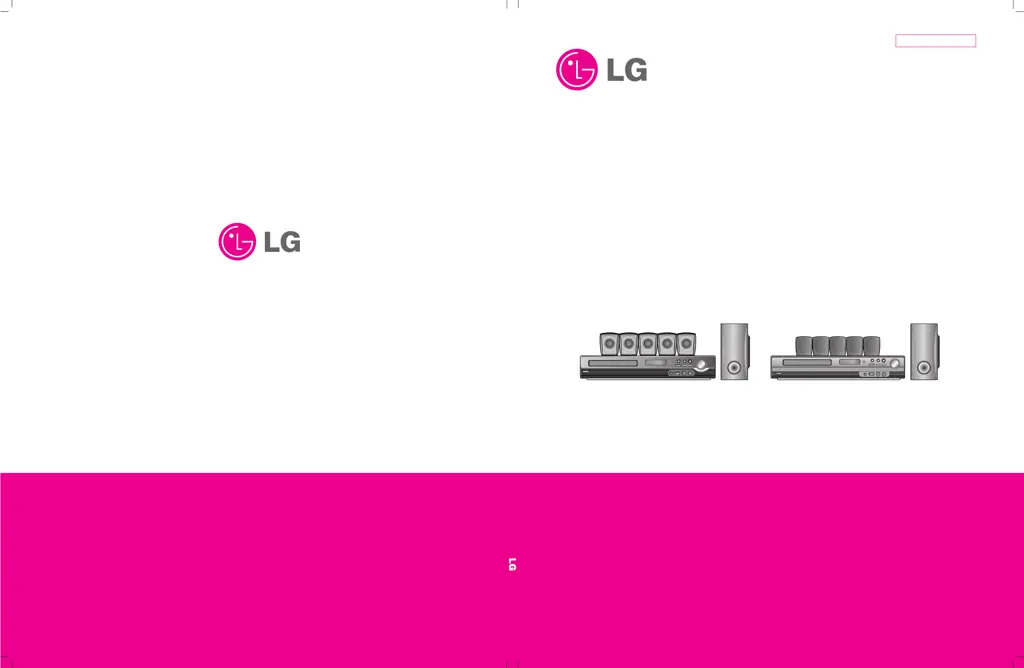
MODEL: HT303SU(HT303SU-A2, SH33SU-S/W)/HT353SD(HT353SD-A2, SH33SD-S/W)
SERVICE MANUAL
P/NO : AFN37064402 JANUARY, 2008
DVD/CD RECEIVER
SERVICE MANUAL
MODEL: HT303SU(HT303SU-A2, SH33SU-S/W)
HT353SD(HT353SD-A2, SH33SD-S/W)
Website http://biz.lgservice.com
Internal Use Only
HT303SU
HT353SD

Other manuals for LG HT353SD

Questions and Answers

  • J
    jcoxSep 3, 2025
    Why is there no picture from my LG Receiver?
    • B
      brittany11Sep 3, 2025
      If you're not getting a picture from your LG Receiver, first ensure your TV is set to receive the DVD signal. Check that the video cable is securely connected to the jacks. Also, make sure your connected TV is turned on.
  • D
    debraoliverSep 1, 2025
    How to fix LG HT353SD Receiver if it does not start playback?
    • S
      shawpamelaSep 2, 2025
      If your LG Receiver isn't starting playback, first ensure that a playable disc is inserted correctly, with the playback side down and placed within the guide. If a menu is on the TV screen, press the SETUP button to turn it off. Also, ensure that the Rating level is not set, or change it. Check that the DVD or audio CD indicator in the DVD display is lit.
  • J
    jose48Aug 31, 2025
    How to troubleshoot no power on my LG HT353SD Receiver?
    • D
      Diana RobbinsAug 31, 2025
      If your LG Receiver has no power, ensure the power cord is securely plugged into the wall outlet.
  • J
    James PerezAug 29, 2025
    How to troubleshoot no sound on LG Home Theater System?
    • C
      Christine WoodsAug 29, 2025
      If your LG Home Theater System has no sound or very low sound, check these items: 1. Verify that the equipment connected with the audio cable is set to receive DVD audio by selecting the correct input mode. 2. Ensure the audio cables are securely connected. 3. Confirm that the equipment connected with the audio cable is turned on. 4. If the problem persists, the audio connecting cable may be damaged; consider replacing it.
  • M
    michaelcalderonAug 27, 2025
    What to do if there is no picture on my LG Home Theater System?
    • J
      Joshua HolmesAug 28, 2025
      If your LG Home Theater System shows no picture, there are several things to check: 1. Ensure your TV is set to receive the DVD signal. 2. Check that the video cable is securely connected to the jacks. 3. Confirm that the connected TV is powered on.
  • C
    Christopher FryeAug 26, 2025
    Why is my LG Home Theater System remote control not working?
    • G
      George VelazquezAug 26, 2025
      If you're experiencing remote control issues with your LG Home Theater System, try the following: * Make sure the remote is pointed directly at the remote sensor on the DVD/CD Receiver. * Ensure you are within 23 ft (7 m) of the DVD/CD Receiver. * Remove any obstacles between the remote and the receiver. * Replace the batteries in the remote with new ones.
  • T
    Tracy SantiagoAug 25, 2025
    How to fix no power on my LG Home Theater System?
    • M
      Mr. Michael Chaney MDAug 25, 2025
      If your LG Home Theater System has no power, ensure the power cord is securely plugged into the wall outlet. This should resolve the issue.
  • D
    diana81Aug 22, 2025
    What to do if there is no sound from my LG HT353SD Receiver?
    • P
      Paige SmithAug 22, 2025
      If you're experiencing no sound or very low sound from your LG Receiver, make sure the equipment connected with the audio cable is set to receive DVD audio by selecting the correct input mode. Also, ensure the audio cables are securely connected. Verify that the connected equipment is powered on, and if the audio cable is damaged, replace it.

LG HT353SD Specifications

General IconGeneral
RMS rated power300 W
Audio output channels5.1 channels
Audio formats supportedWMA
Center speaker RMS power45 W
Center speaker impedance4 Ω
Analog signal format systemNTSC, PAL
FM band range87.5 - 108 MHz
Disc types supportedCD, DVD-R, DVD-RW
Optical disc player typeDVD player
FM antennaYes
USB version2.0
SCART ports quantity1
Power consumption (standby)1 W
Power consumption (typical)50 W
Weight and Dimensions IconWeight and Dimensions
Subwoofer weight3500 g
Subwoofer dimensions (WxDxH)156 x 320 x 325 mm
Front speaker dimensions (WxDxH)99 x 87 x 114 mm
Center speaker dimensions (WxDxH)114 x 87 x 99 mm

Related product manuals