EasyManua.ls Logo

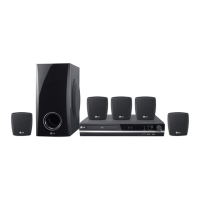
LG HT353SDW - User Manual

LG HT353SDW
16 pages
Print Icon
To Next Page IconTo Next Page
Loading...
HT353SDW-D0_ENG_ES_MFL56762605
R
P/N: MFL56762605
HT353SDW
HT353SDW-D0, SH33SD-S/W
W93-T,W93-R
DVD/CD WIRELESS RECEIVER SYSTEM
Read the manual carefully before using the unit
ENGLISH
∞™Àƒª∞Δ√ ™À™Δ∏ª∞ ¢∂∫Δ∏ DVD/CD
¶ÚÈÓ ¯ÚËÛÈÌÔÔÈ‹ÛÂÙ ÙËÓ Û˘Û΢‹, ‰È·‚¿ÛÙ Ì ÚÔÛÔ¯‹ ÙÔ ÂÁ¯ÂÈÚ›‰ÈÔ ¯Ú‹Û˘.
GREEK
SISTEMA DI RICEVITORE DVD/CD WIRELESS
Leggere attentamente questo manuale prima di usare l'unità.
ITALIAN
SISTEMA DE RECETOR INALÁMBRICO DE DVD/CD
Lea atentamente este manual antes de iniciar el uso de la unidad.
Lea detenidamente el contenido de esta tarjeta de Garantia.
SPANISH
LEITOR DE DVD/CD SEM FIOS
Leia cuidadosamente este manual antes de utilizar a unidade
PORTUGUESE

Questions and Answers

  • H
    Heather RamseySep 1, 2025
    Why is there no sound coming from my LG Home Theater System?
    • N
      Nicole SmithSep 1, 2025
      If your LG Home Theater System has little or no sound, first, make sure that the equipment connected via the audio cable is set to receive the DVD signal output. Select the correct input mode on the audio receiver. Also, ensure the audio cables are securely connected to both the speakers and the receiver. If the problem persists, the audio cables might be damaged, consider replacing them.
  • G
    Gerald HuberAug 31, 2025
    How to stop humming noise while playing DVD or CD on LG Home Theater System?
    • P
      Patricia MendozaAug 31, 2025
      If you hear a humming noise while playing a DVD or CD on your LG Home Theater System, first clean the disc using a soft cloth with outward strokes. If that doesn't help, the DVD receiver might be too close to the TV, causing feedback. Try moving the DVD receiver and audio components further away from your TV.
  • S
    sharrisAug 30, 2025
    What to do if a DVD/CD will not play on my LG Home Theater System?
    • E
      Elizabeth ClarkAug 30, 2025
      If your LG Home Theater System isn't playing a DVD or CD, start by ensuring a disc is actually inserted, and that it's a playable disc (check the disc type, color system, and regional code). Make sure the disc is inserted correctly with the label or printed side facing up. Also, if the menu is open on the screen, press SETUP to close it. Finally, a parental lock may be preventing playback; in this case, enter your password or change the rating level.
  • D
    duffyrobertAug 29, 2025
    Why is there no picture on my LG Home Theater System?
    • R
      Rodney DuffyAug 29, 2025
      If you're not seeing a picture from your LG Home Theater System, it could be that your TV isn't set to the correct video input. Make sure you've selected the right input mode on your TV so that the picture from the DVD Receiver appears. Also, check that the video cables are securely connected to both the TV and the DVD Receiver.
  • A
    Alexis WrightAug 28, 2025
    Why is there no sound from my LG HT353SDW Receiver?
    • C
      chambersshannonAug 28, 2025
      If you are experiencing no sound or very low sound from your LG Receiver, consider the following: * The equipment connected with the audio cable might not be set to receive DVD audio. Select the correct input mode on the equipment. * The audio cables may not be securely connected. Ensure the audio cables are properly connected to the jacks. * The connected equipment's power may be off. Turn on the equipment connected with the audio cable. * The audio connecting cable might be damaged. Replace it with a new one.
  • J
    jjohnsonAug 27, 2025
    How to fix LG HT353SDW remote control that does not work?
    • T
      Timothy FosterAug 27, 2025
      If the remote control for your LG Receiver isn't working correctly, here are a few things to check: * Make sure the remote control is pointed at the remote sensor on the DVD/CD Receiver. * Ensure you are using the remote control within about 23 ft (7 m) of the receiver. * Check for any obstacles between the remote control and the receiver and remove them. * The batteries in the remote control might be dead. Try replacing them with new ones.
  • J
    James RamseyAug 27, 2025
    How to fix no picture on my LG Home Theater System?
    • L
      Laura DavenportAug 27, 2025
      If your LG Home Theater System shows no picture, ensure the TV is set to the correct video input mode to receive the DVD signal. Also, check that the video cables are securely connected to both the TV and the DVD receiver.
  • B
    brianmendezAug 25, 2025
    How to fix LG Home Theater System when there is little or no sound?
    • B
      Bryan WebsterAug 26, 2025
      If you're experiencing little to no sound with your LG Home Theater System, verify that the equipment connected via the audio cable is set to receive the DVD signal output by selecting the correct input mode on the audio receiver. Also, ensure the audio cables are securely connected to the speakers or receiver. If the audio cables are damaged, replace them.
  • C
    Carolyn SmithAug 25, 2025
    How to fix LG HT353SDW Receiver when there is little or no sound?
    • E
      Erica MendezAug 25, 2025
      If you're experiencing little or no sound from your LG Receiver, ensure that the equipment connected via the audio cable is set to receive the DVD signal output by selecting the correct input mode on the audio receiver. Check that the audio cables are securely connected to the speakers or receiver. If the issue persists, the audio cables may be damaged and need replacement.

LG HT353SDW Specifications

General IconGeneral
TypeHome Theater System
Number of Channels5.1
DVD PlayerYes
Audio Formats SupportedDolby Digital, DTS
Playback MediaDVD, CD, USB
RadioFM
HDMI Inputs1
USB PlaybackYes
BluetoothNo
Wi-FiNo
Video FormatsDivX, MPEG2
InputsHDMI, USB
OutputsHDMI
ConnectivityHDMI, USB

Related product manuals