16
ENG
ENGLISH
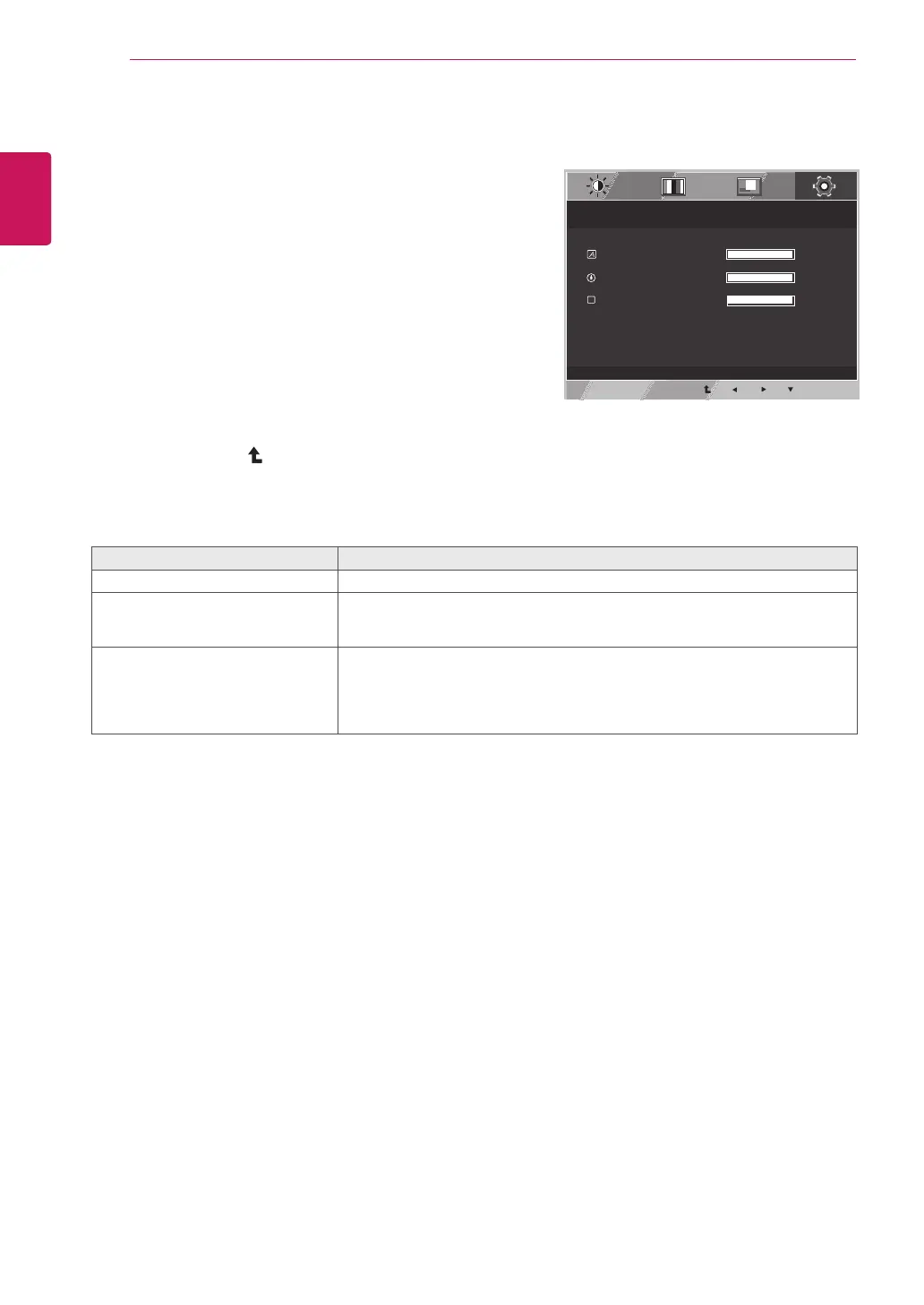
CUSTOMIZING SETTINGS
OTHERS
1
PressMENUbuttononthebottomoftheMonitorset
todisplaytheMENUOSD.
2
Selectthe"NEXTMENU"buttontoenterthemore
optionsettings.
3
SelectOTHERSbypressingthe►button.
4
EntertoOTHERSbypressingthe▼button.
5
Settheoptionsbypressingthe◄or►or▼
buttons.
6
SelectEXITtoleavetheOSDmenu.
Toreturntotheuppermenuorsetothermenuitems,
usetheuparrow(
)button.
Eachoptionisexplainedbelow.
MENU>NEXTMENU>OTHERS Description
LANGUAGE Tochoosethelanguageinwhichthecontrolnamesaredisplayed.
POWER
INDICATOR
Usethisfunctiontosetthepowerindicatoronthebottomsideofthemonitorto
ONorOFF.IfyousetOFF,itwillgooff.
IfyousetONatanytime,thepowerindicatorwillautomaticallybeturnedon.
WHITE
BALANCE
Iftheoutputofthevideocardisdifferenttherequiredspecifications,thecolor
levelmaydeteriorateduetovideosignaldistortion.Usingthisfunction,the
signallevelisadjustedtofitintothestandardoutputlevelofthevideocardin
ordertoprovidetheoptimalimage.Activatethisfunctionwhenwhiteandblack
colorsarepresentinthescreen.
MENU
> NEXT MENU > OTHERS
LANGUAGE
ENGLISH
1/17
POWER INDICATOR
ON
1/2
W
WHITE BALANCE
NO
1/2
D-SUB 1920 X 1080 60HZ
EXIT



 To Next Page