ENG
ENGLISH
CUSTOMIZING SETTINGS
1
Press
FUNC.
buttonon
thebottomoftheMonitorsettodisplaythe
FUNC.OSD.
2
Select bypressingthe►button.
3
Enterto bypressingthe▼button.
4
Settheoptionsbypressingthe◄or►or▼
buttons.
5
SelectEXITtoleavetheOSDmenu.
Toreturntotheuppermenuorsetothermenuitems,
usetheuparrow(
)button.
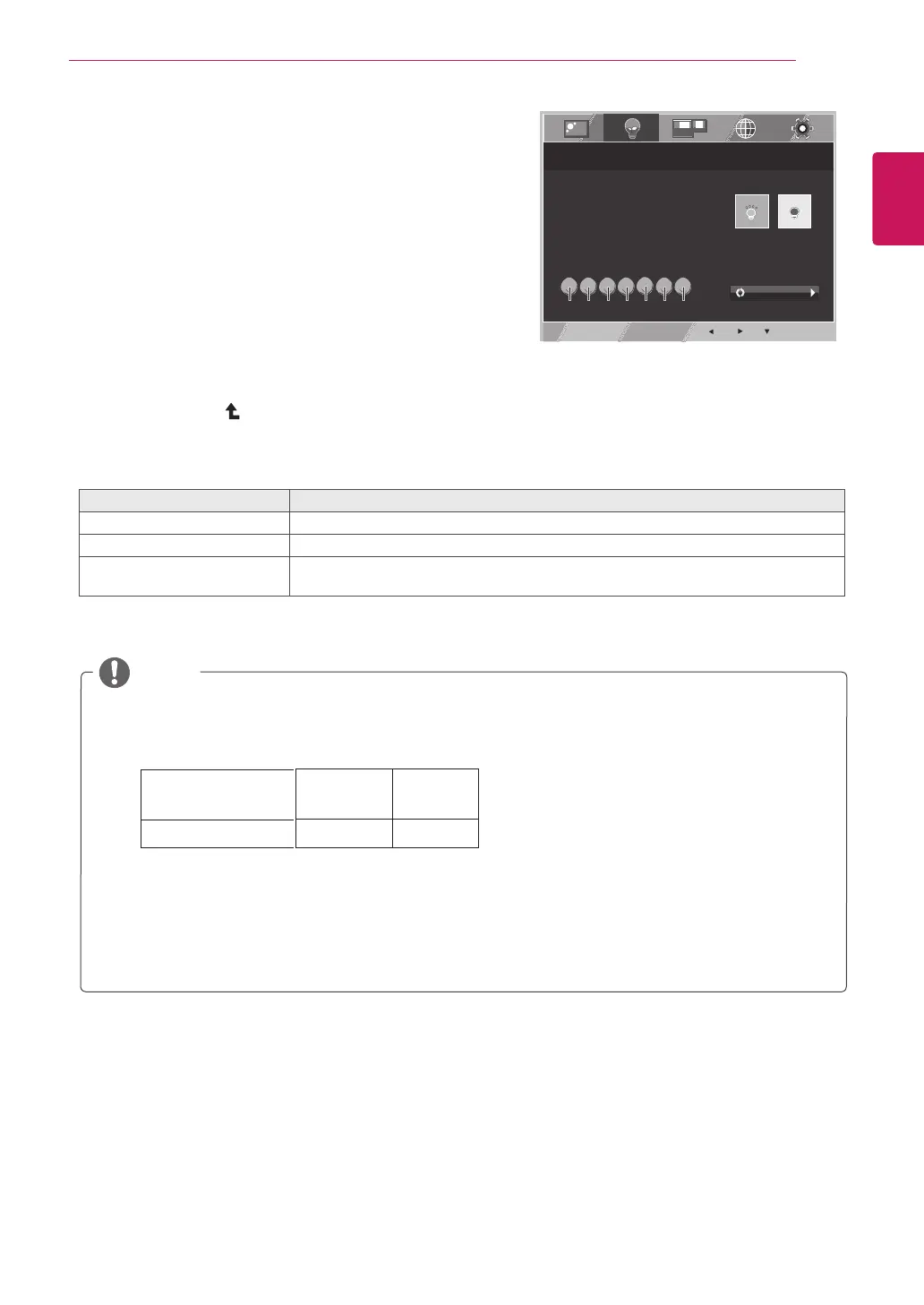
SUPER ENERGY SAVING
SUPER ENERGY SAVING
SUPER ENERGY SAVING
EXIT
FUNC. > SUPER ENERGY SAVING
ON
OFF
YOU SAVED 0.00 TREES !!
POWER REDUCTION:
CO2 REDUCTION:
0W
0g
SUPER ENERGY SAVING
IS ACTIVE
RESET
Eachoptionisexplainedbelow.
SUPERENERGYSAVING Description
ON
EnablesSUPERENERGYSAVINGyoucansaveenergywiththisenergy-efficientfunction
OFF DisablesSUPERENERGYSAVING.
RESET ResetsthevaluesoftotalenergyconsumptionreductionandCO2emissionreduction
estimates.
TOTALPOWERREDUCTION:Howmuchpowerissavedwhileusingthemonitor.
TOTALCO2REDUCTION:ChangetheTOTALPOWERREDUCTIONtoCO2.
SAVINGDATA(W/h)
SavingDatadependsonthePanel.So,thosevaluesshouldbedifferentfromeachpanelandpanel
vendor.
LGcalculatedthesevaluesbyusing“broadcastvideosignal”
(includingbroadcastvideo:IEC62087)
SUPERSAVINGreferstohowmuchpowercanbesavedusingtheSUPERENERGYSAVING
function.
NOTE
546 mm 584 mm
(21.5 inch) (23 inch)
6 W/h 7 W/h
SUPER SAVING
19



 To Next Page