Antenna Connections
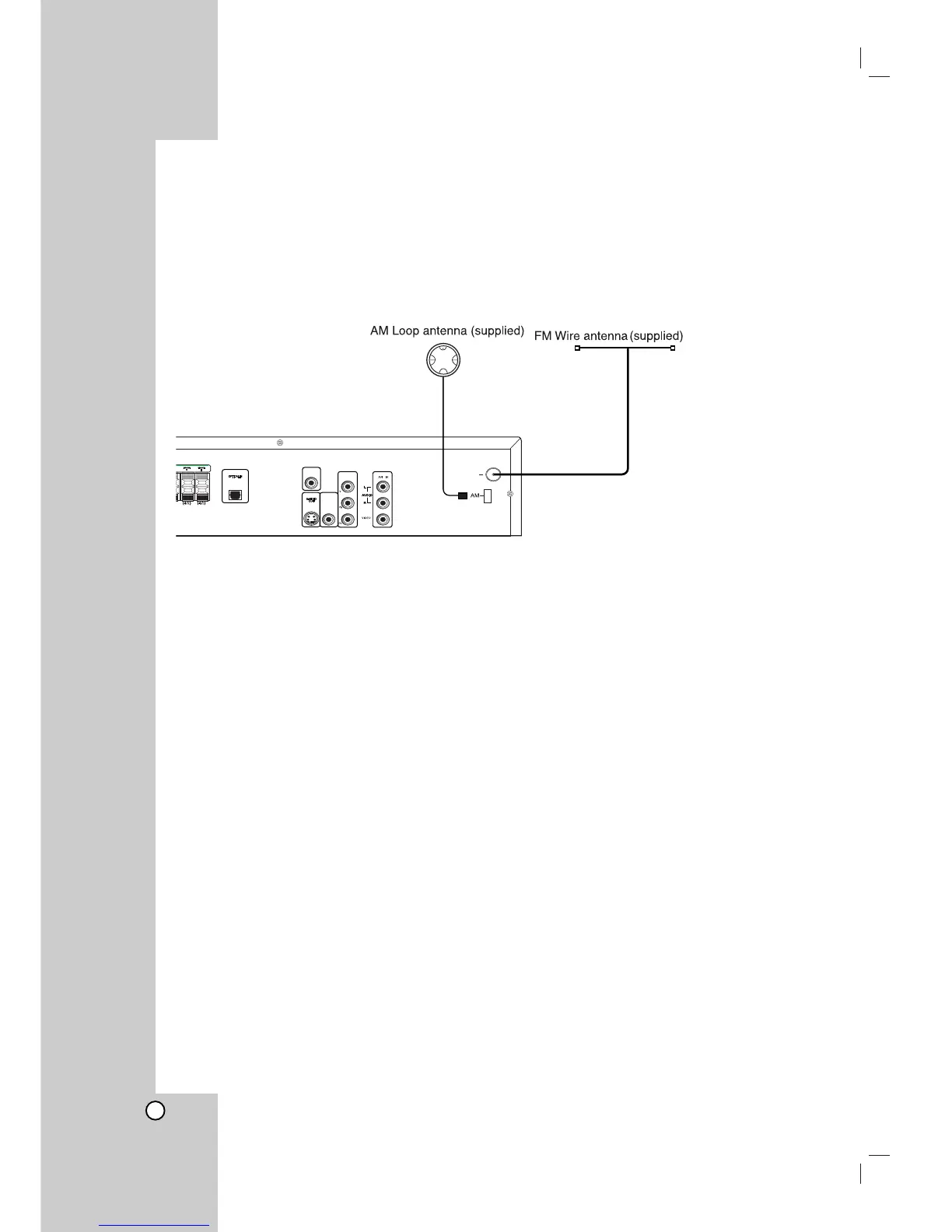
Connect the supplied BAND antenna for listening to the radio.
Connect he FM Wire antenna to the FM antenna connector.
Connect the AM Loop antenna to the AM antenna connector.
Notes:
Be sure to fully extend the FM wire antenna.
After connecting the FM Wire antenna, keep it as horizontal as possible.
To prevent noise pickup, keep the AM Loop antenna away from the DVD/CD Receiver and other components.



 To Next Page