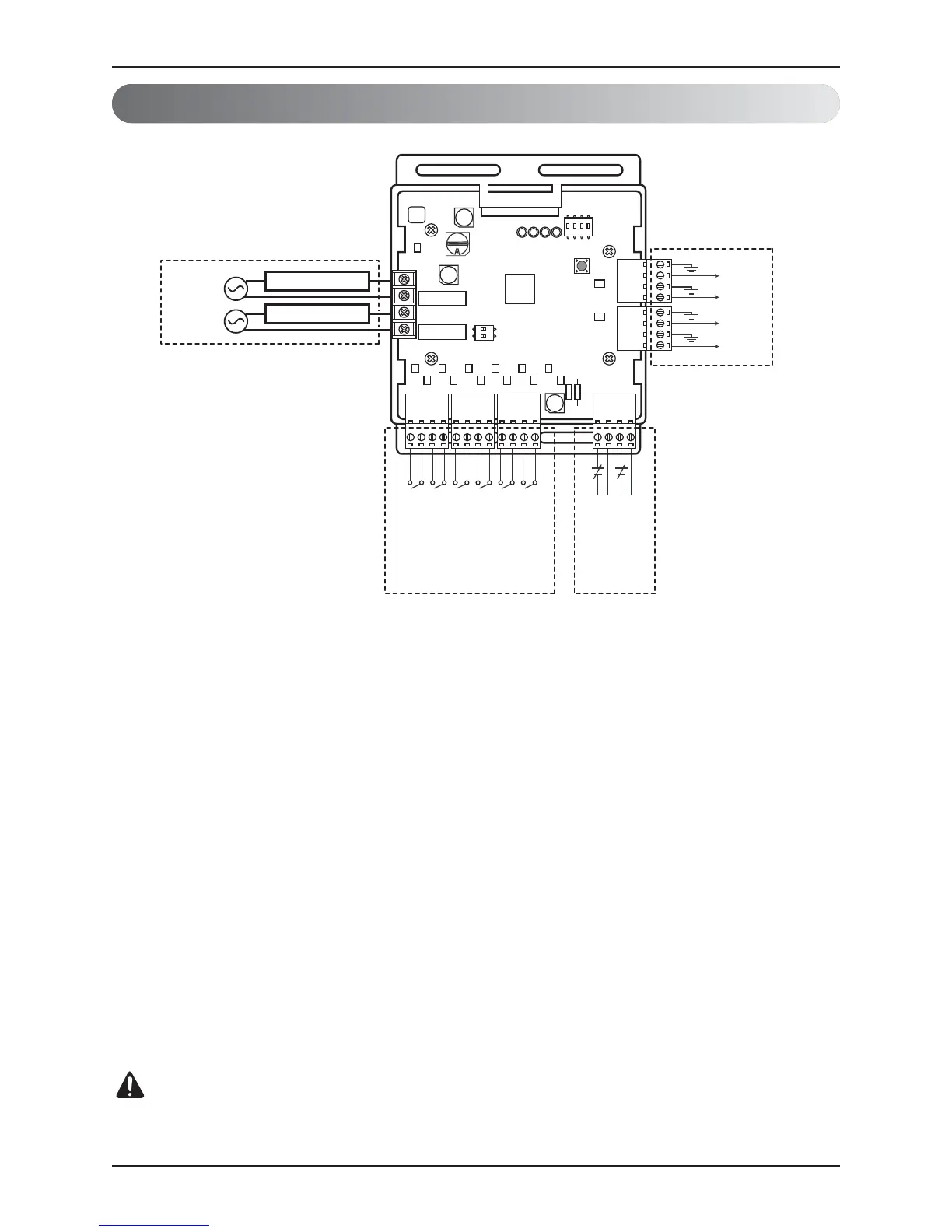
① Dry contact input part
Connect Non Voltage contact signal for demand control (3 step)
* Priority setting
Using ‘Priority setting’ contact signal, set the priority of command.
(External command from DDC Vs Command from LG central controller.)
- Close : Central controller has priority to external signal.
- Open : External signal has priority to central controller.
② Analog input part
Connect Analog input signal for demand control (10 step)
③ Analog output part
Connect Analog output signal for controlling third party devices.
Ex) Valve actuator for variable water flow. Damper actuator for Low Ambient Kit
④ Digital output part
Connect status display devices.
AI : Analog Input (DC0~10V)
AO : Analog Output ( DC0~10V, Max 20mA)
Input_LNO : Low Noise Operation



 To Next Page