22 Low Ambient Control Kit
6. Setting of Outdoor Unit Dip Switch
Low Ambient Kit Mode
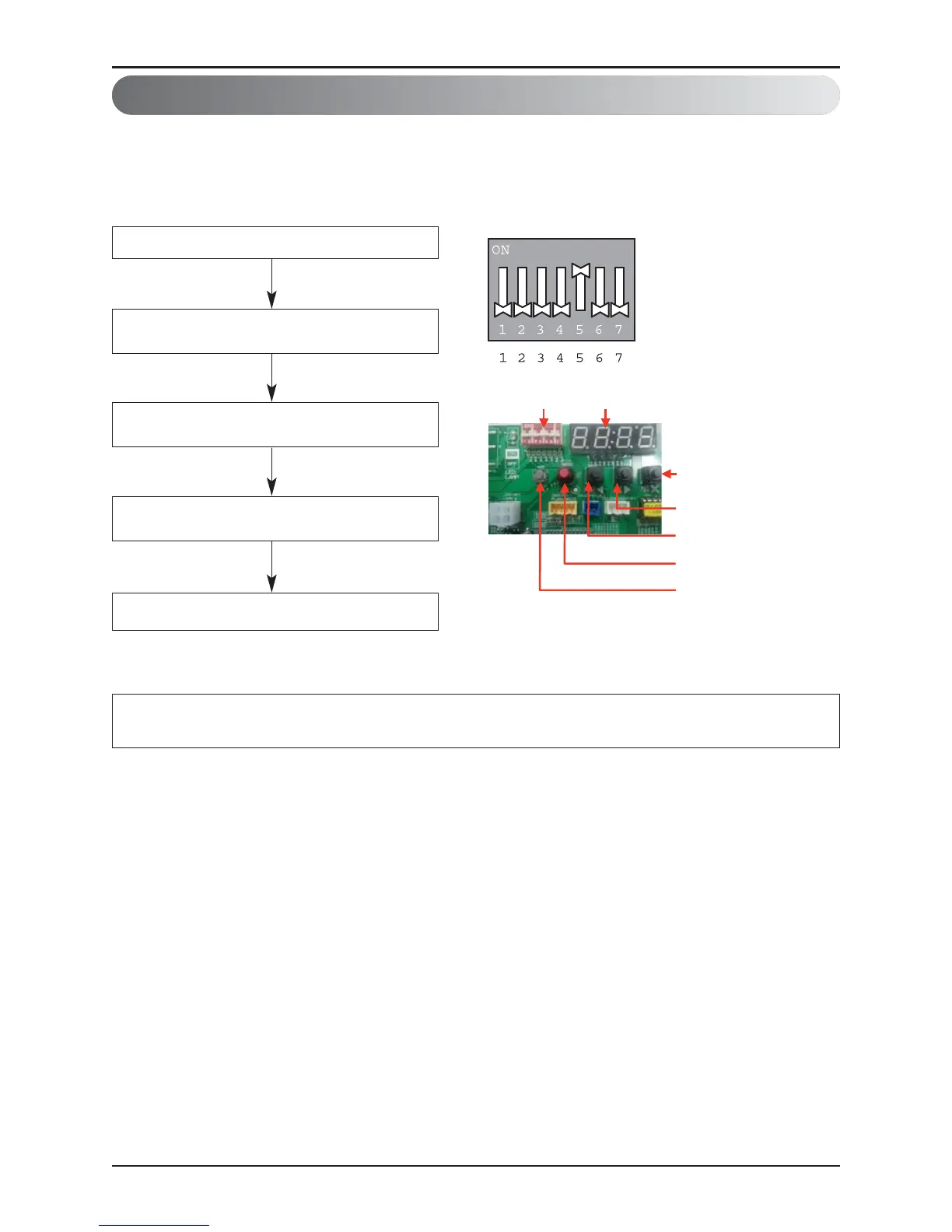
• Low Ambient Kit mode Setting method
Master unit PCB DIP switch on : No.5
Select the mode using ‘▶’, ‘◀’ Button :
“Func” Push the '●' (Confirm) button
Select the Function using ‘▶’, ‘◀’ Button :
“Fn10 or Fn11” Push the '●' (Confirm) button
Low Ambient Kit mode is set
❈ If you want to stop the Low Ambient Kit mode, refer to the following.
▷ Dip Switch No.5 On -> “Func” -> “Fn10” -> “Off”
Select the Function using ‘▶’, ‘◀’ Button :
“On” Push the '●' (Confirm) button



 To Next Page