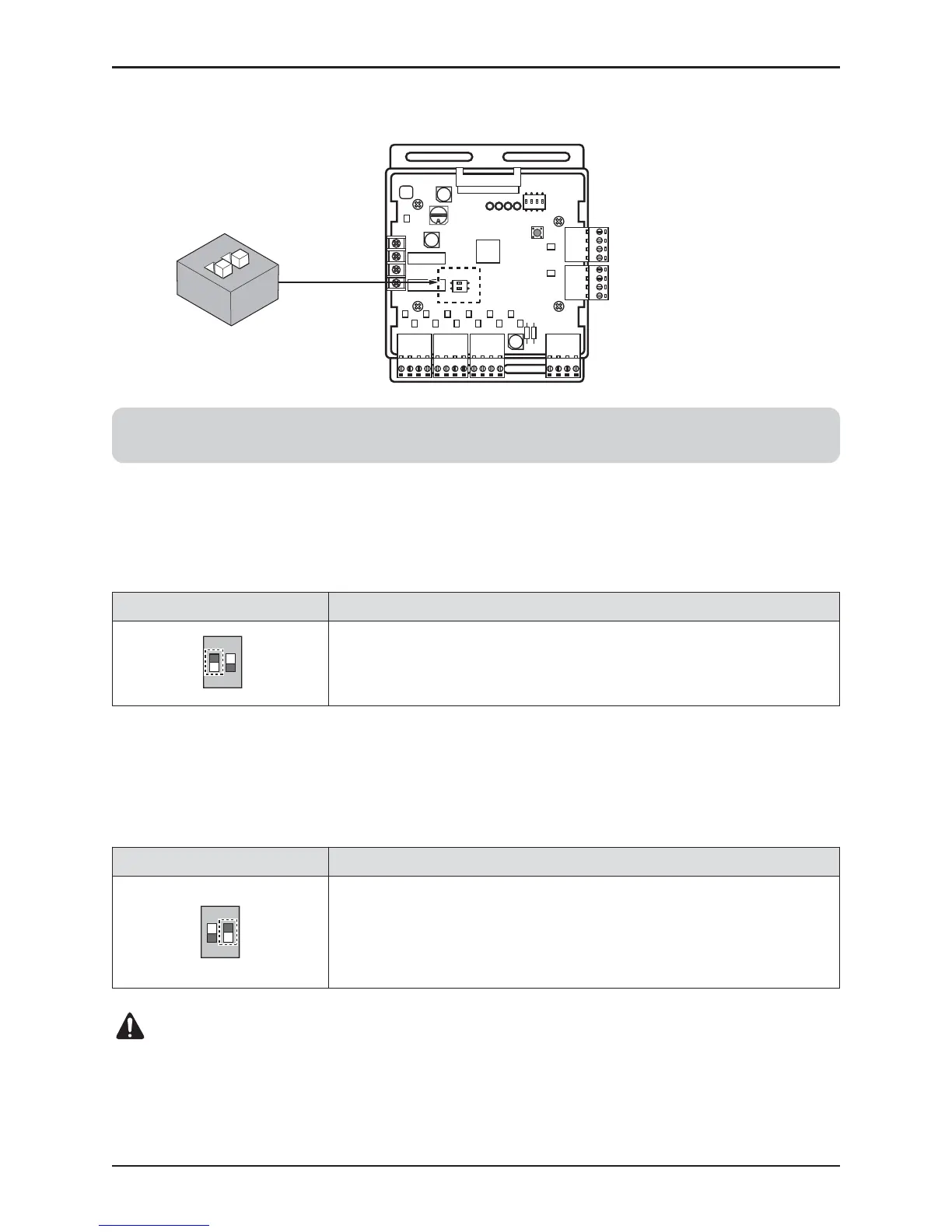
ON : Ignore minimum Analog output value setting
(L1,L2 setting value of 4pin Dip SW)
OFF : Follow minimum Analog output value setting
(L1,L2 setting value of 4pin Dip SW)
• L2 : Set Analog output Range
Basically this module keeps a minimum Analog output voltage refer to L1,L2 setting of SW101 to
prevent unexpected accident. When you need to use 0~10V full range, L2 should be set as ON.
• L1 : Set Analog output default value when Communication Error will be occur (Module – ODU)
Using ‘SW102’, set the internal function as described below.



 To Next Page