13Operation
4
Operation
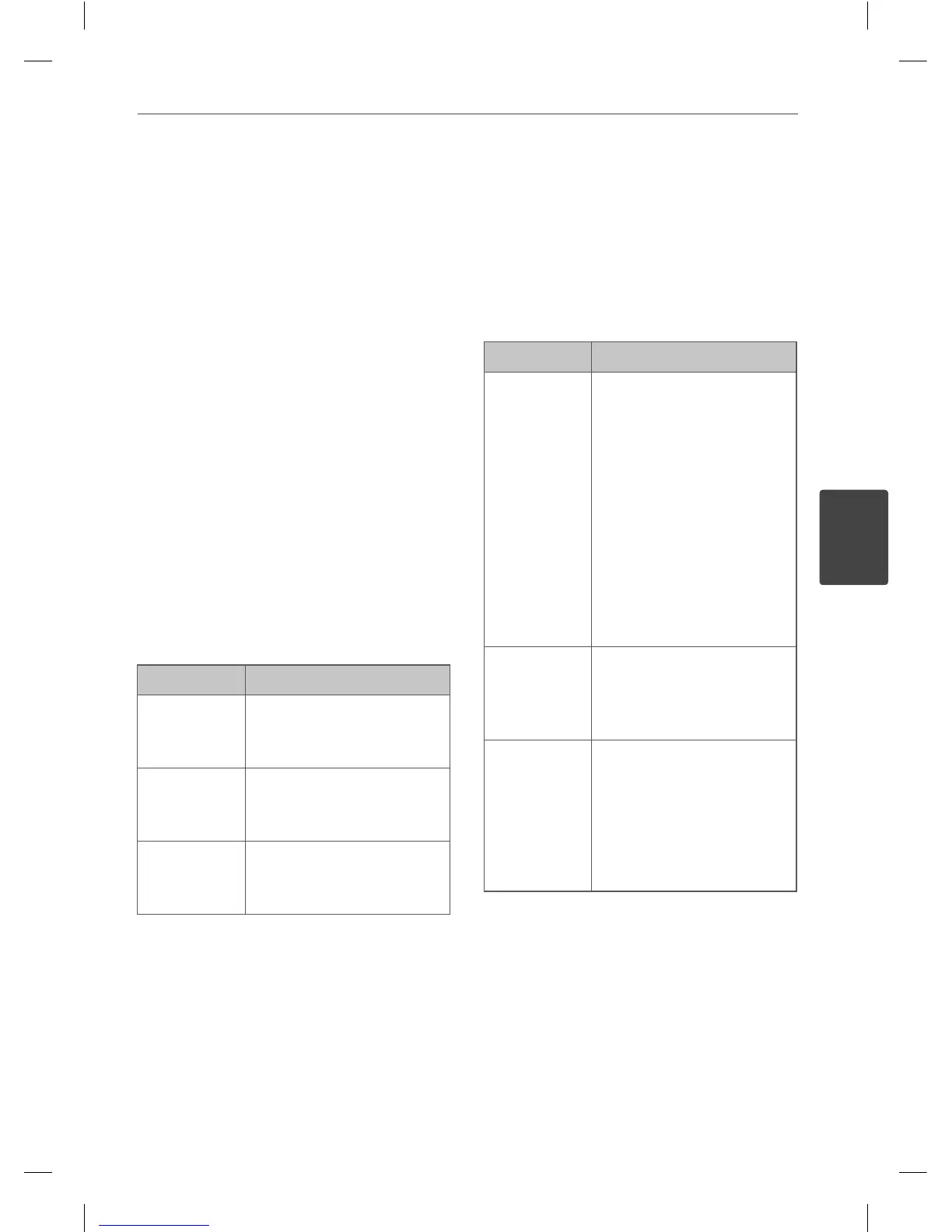
Basic Operations
CD/ USB Operations
1. Insert the disc by using the
OPEN/CLOSE or connect the USB device to
the USB port.
2. Select the CD or USB function by pressing
FUNCTION on the remote control or CD,
USB button on the unit.
3 Select the disc by pressing DISC SKIP on
the unit or D.SKIP on the remote control.
To Do this
Stop
Press
x
on the remote
control or STOP on the unit.
Playback
Press
B
/
X
on the remote
control or PRESET+ > on
the unit.
Pause
Press
B
/
X
on the remote
control or SET/ CD
X
on
the unit.
To Do this
Skipping to
the next/
previous
track/ le
During playback, press
. m
or
M >
on
the remote control or
|<< or >>| on the unit
to go to the next track/
le or to return to the
beginning of the current
track/ le.
Press
. m
on the
remote control or |<< on
the unit twice brie y to step
back to the previous track/
l e .
Searching
for a section
within a track
Press and hold
. m
or
M >
during playback
and release it at the point
you want to listen to.
Playing
repeatedly or
randomly
Press REPEAT on the
remote control repeatedly,
the display changes in the
following order, RPT 1 ->
RPT DIR (Only MP3/WMA)
-> RPT DISC -> RPT ALL ->
RANDOM -> OFF.
4
Operation
MCT435-AOU-SMEXCLK-ENG.indd 13MCT435-AOU-SMEXCLK-ENG.indd 13 2010.3.11 4:26:30 PM2010.3.11 4:26:30 PM



 To Next Page