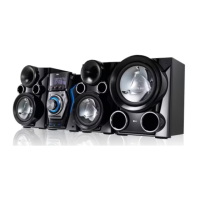
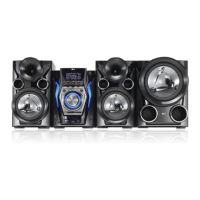
9Preparation
2
Preparation
a
Disc tray
b
Display window
c
1
/
)
( Power ON/ OFF )
d
USB/DEMO
Selects the USB or DEMO function.
CD
Selects the CD function.
TUNER
Selects the TUNER function.
TAPE
Selects the TAPE function.
AUX
Selects the AUX function.
ef
EQ/ LG EQ
You can choose sound impressions.
g
USER EQ
You can adjust sound level to your
preference.
h
BASS BLAST/
Reinforces the treble, bass and
surround e ect.
MP3 OPT.
This function is optimized for
compressible MP3 le. It improves the
treble sound.
i
SET/ CD
X
Pauses or con rms the setting.
j
AUTO DJ
Selects the AUTO DJ mode.
k
OPEN/CLOSE
l
CD SYNC
From CD to TAPE Synchronized Recording
Starts playback.
m
CLOCK
Sets clock and checks the time.
n
TIMER
Use your player as an alarm clock.
o
DISC SKIP
Chooses a desired CD.
p
STOP
q
R (Record)
Recording.
r
USB port
You can play sound les by connecting
the USB device.
s
Headphone jack
A warning that excessive sound
pressure from earphones and
headphones can cause hearing loss.
t
Cassette
u
PRESET -/ <
- TAPE reverse play
- Selects preset numbers
v
PRESET + / >
- CD play, TAPE forward play
- Selects preset numbers
wx
|<< (-)TUNING(+) >>|
- Searches backward or forward
- Skips to the previous/ next track
- Selects the radio station
y
Volume knob
Volume control.
MCT435-AOU-SMEXCLK-ENG.indd 9MCT435-AOU-SMEXCLK-ENG.indd 9 2010.3.11 4:26:29 PM2010.3.11 4:26:29 PM



 To Next Page