19
Understanding Your Phone
To turn on the phone, press and hold the Power/
Lock Key for 3 seconds. To turn off the phone,
press the Power/Lock Key for 3 seconds and
touch Power off. Then touch OK to confirm.
Front View
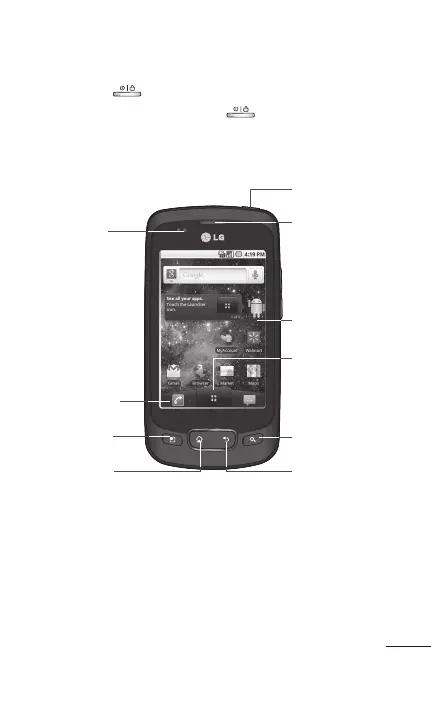
2 Phone icon
1 Proximity
Sensor
4 Home Key
3 Menu Key
10 Back Key
9 Search Key
8 Application
Launcher icon
7 Touchscreen
6 Earpiece
5 Power/Lock
Key
Proximity Sensor senses proximity towards
other objects (such as your head) so that touch
commands are not accidentally activated during
a call.
1.



 To Next Page