50
LG Optimus One | User Guide
Your Home Screen
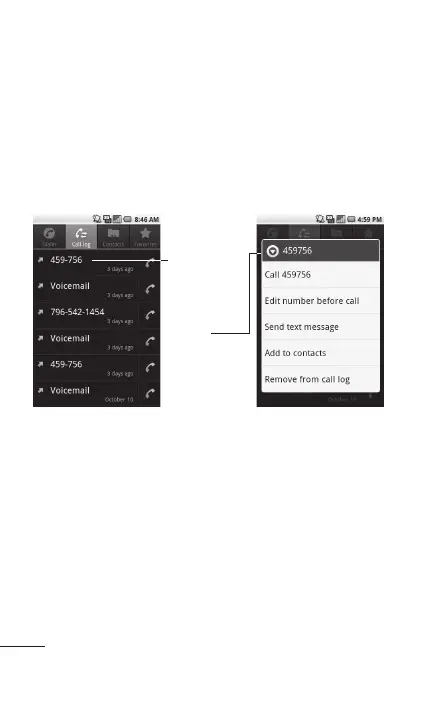
Context menus
Context menus contain options that apply to a
specific item on the screen. To open a Context
menu, touch and hold an item on the screen. Not
all items have Context menus. If you touch and
hold an item that has no Context menu, nothing will
happen.
When you
touch and hold
certain items
on a screen, a
Context menu
opens.
Managing Notifications
Notification icons report the arrival of new
messages, calendar events, alarms, as well as
ongoing events, such as when you are in a call.
When you receive a notification, text appears briefly
and the notification icon will be displayed in the
Status bar.



 To Next Page