86
LG Optimus One | User Guide
Camera
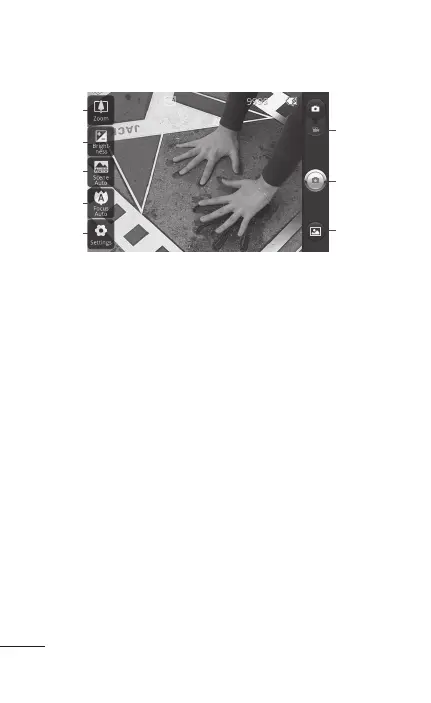
Getting to know the viewfinder
1
2
3
4
5
6
7
8
Zoom
Zoom in or zoom out. Alternatively, you can
use the side volume keys.
Brightness
This defines and controls the
amount of sunlight entering the image. Slide the
brightness indicator along the bar, towards “-”
for a lower brightness image, or towards “+” for a
higher brightness image.
Scene mode Choose from Auto, Portrait,
Landscape, Sports, Night, and Sunset.
Focus
Touch this icon to select the focus mode.
Choose from Auto, Macro, Face tracking, or
Manual.
Settings
Touch this icon to open the settings
menu. See Using the advanced settings on page
89.
Video mode
Slide this icon down to switch to
video mode.
1.
2.
3.
4.
5.
6.



 To Next Page