Understanding Your Phone
30
LG Optimus One | User Guide
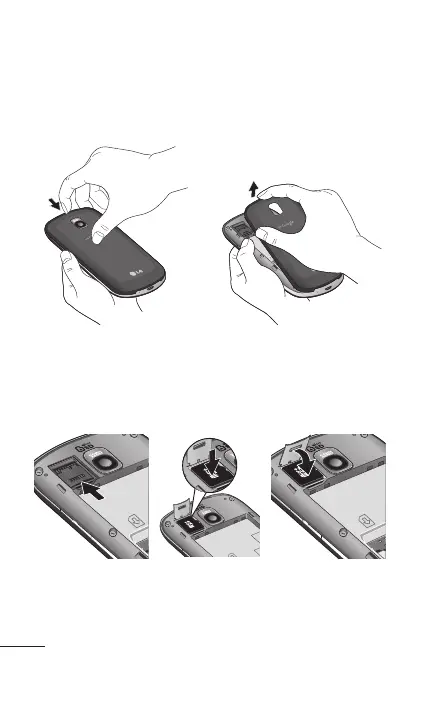
To insert a memory card:
Turn the phone off before inserting or removing
the memory card. Remove the back cover.
Slide the slot protection upwards to unlock it and
flip it up to open it. Then insert the memory card
into the slot, making sure the gold contact area
is facing downwards. Then flip the slot protection
down to close it.
1.
2.



 To Next Page