136
Applications
Applications
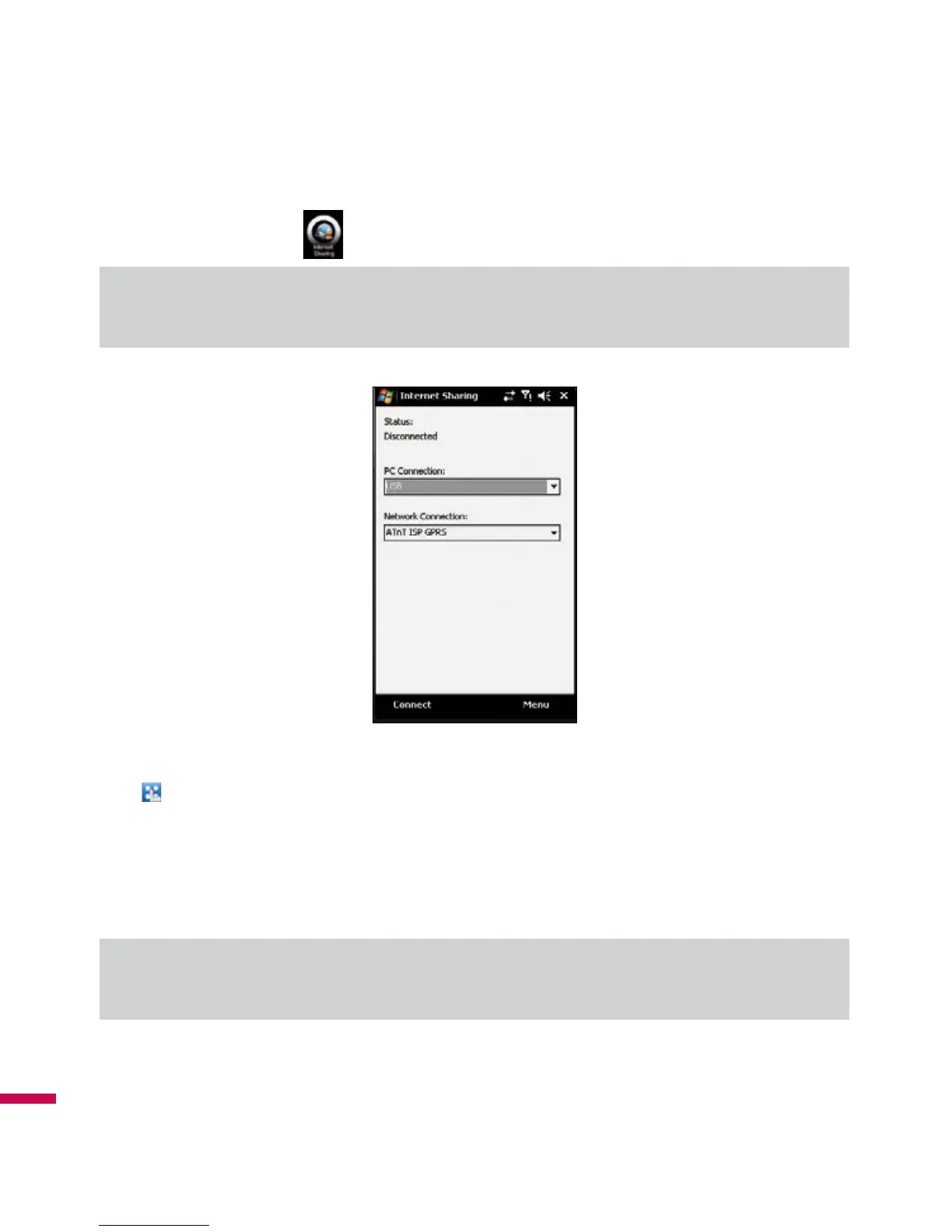
Internet Sharing
Note
v
ActiveSync software version 4.5 or higher is required.
v
Connect the USB cable to the PC.
v
Tap
(
LG Menu
)
>
Applications
>
Internet Share
.
v
Set PC Connection to USB or Bluetooth PAN
v
Set Network Connection to proper APN
v
Tap Connect and Left Soft Key in the bottom line
v
Data connection indicator (G/ E/ 3G) is displayed when PDP activation is performed successfully.
Note
v
Operating System on your PC is required Windows XP SP2 or later.



 To Next Page