28
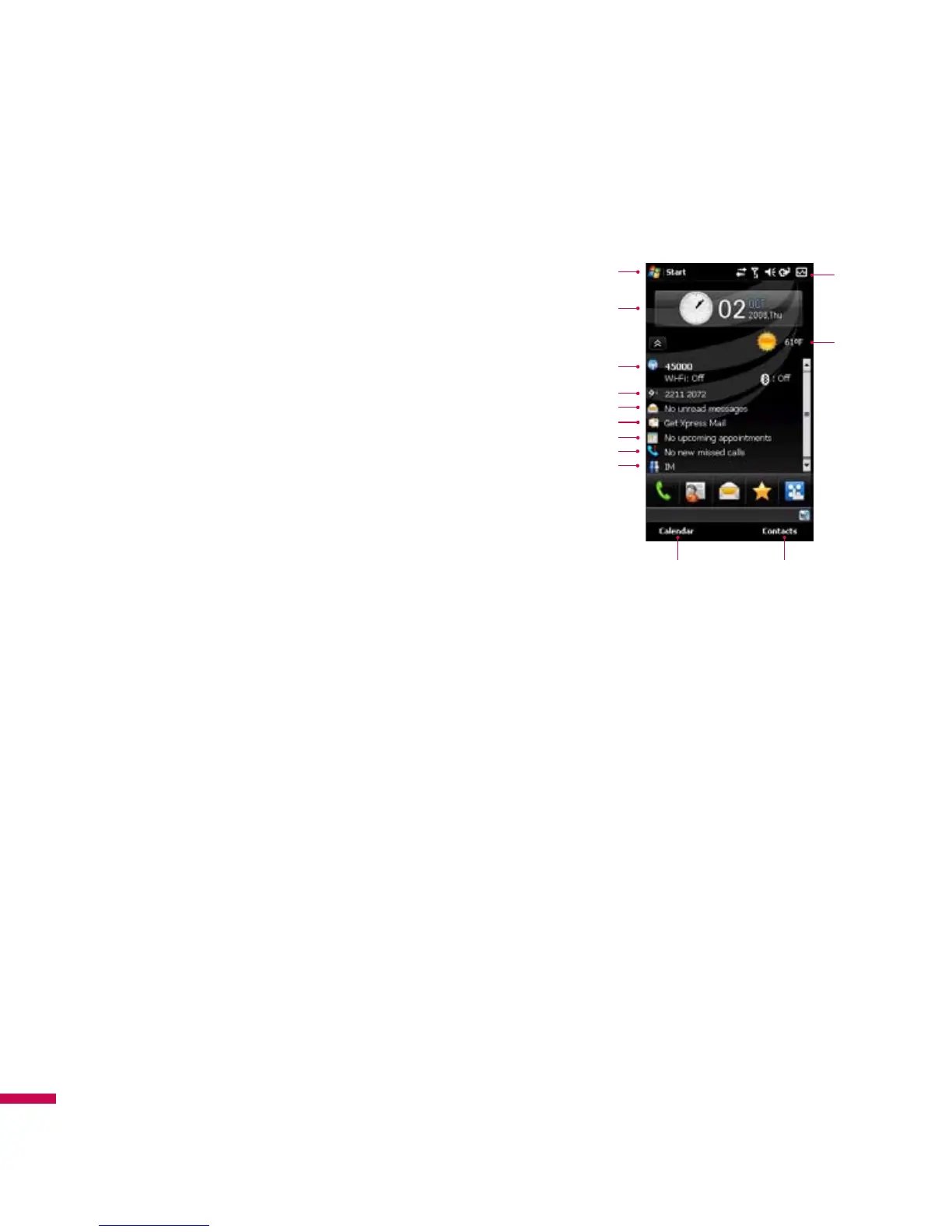
Default MS Today Screen
On the Today screen, you can see important and recent
information for the day.
1.
Start button:
Shows the Start menu that you can use directly.
2.
LGdatetime:
Shows today's date and current time. Tap to select
the clock type.
3.
Phone information:
Wireless Manager / Bluetooth phone on or
off.
4.
Service provider name:
Shows your service provider name
with your phone number.
5.
Unread message:
You can see the unread message from Inbox
account.
6. Get Xpress Mail:
You can install Xpress Mail application.
7.
Upcoming schedule:
You can see the upcoming schedule.
8.
No new missed calls:
You can see the missed call history.
9. IM:
Go to Instant Message program menu.
10.
Indicators:
Connectivity, SIM card, Volume and Battery indicator.
11. Weather:
You can check today's weather. Tap to see more detail weather forecast.
12. Calendar:
Link to Calendar
13. Contacts:
Link for Contacts list
Screen information
Screen information
1
2
3
4
5
6
7
8
9
12 13
10
11



 To Next Page