EasyManua.ls Logo

Liebert GHT MT+ - User Manual

Liebert GHT MT+
23 pages
Print Icon
To Next Page IconTo Next Page
Loading...
Single Phase Online UPS
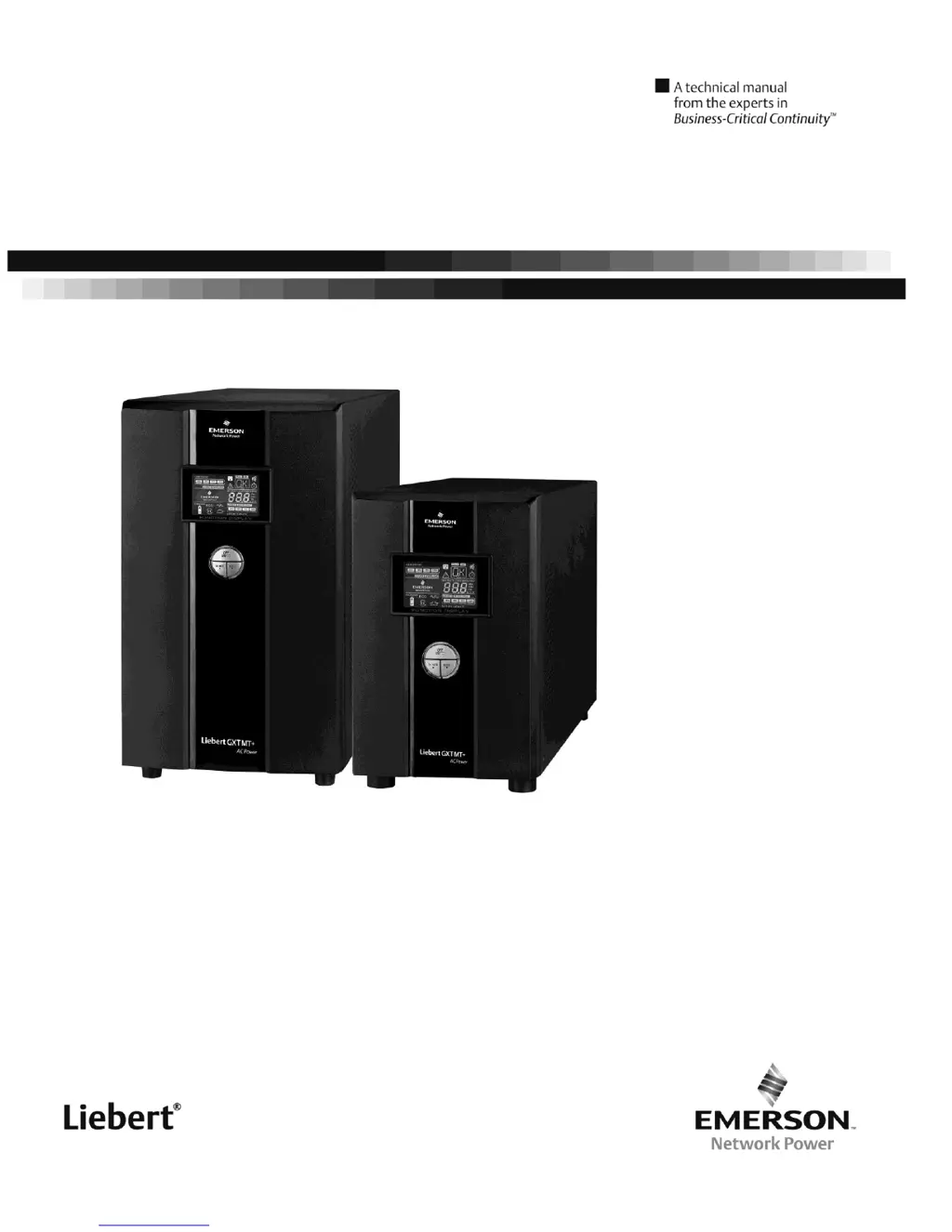
Liebert GXT MT+
User Manual - 1000-3000 VA

Questions and Answers

  • C
    claytonanthonyJul 31, 2025
    What to do if Liebert GHT MT+ UPS battery backup time is short?
    • B
      Brittany DiazJul 31, 2025
      If the battery backup time of your Liebert UPS is shorter than expected, the batteries may not be fully charged. Charge the batteries for at least 5 hours and then check their capacity. If the problem persists, the batteries may be defective.
  • M
    Mark ConnerAug 5, 2025
    Why is my Liebert GHT MT+ beeping and flashing a warning code?
    • G
      gordonsaraAug 5, 2025
      If your Liebert UPS is beeping every second and flashing a warning code on the LCD, it could be due to several reasons: * The EPO function is activated. Set the circuit in closed position to disable EPO function. * The line and neutral conductors of the UPS input are reversed. Rotate the mains power socket by 180° and then connect to the UPS system. * The external or internal battery is incorrectly connected. Check if all batteries are well connected. * The fan is locked or not working. Check the fans.
  • A
    Aaron GarrisonAug 10, 2025
    How to fix Liebert GHT MT+ UPS when there is no indication and alarm?
    • S
      Scott RomeroAug 10, 2025
      If your Liebert UPS has no display and no alarm, even when the mains power is normal, check the following: * Ensure the AC input power cord is firmly connected to the mains. * Verify the AC input power cord is plugged into the AC input correctly, and not the UPS output.
  • M
    Michael MccarthyAug 15, 2025
    What to do if Liebert GHT MT+ UPS is overloaded?
    • J
      Jordan DavisAug 15, 2025
      If your Liebert UPS indicates an overload, remove some of the connected devices from the UPS output. If the UPS is locked in Bypass mode after repetitive overloads, remove excess loads, then shut down the UPS and restart it.
  • P
    pphillipsAug 20, 2025
    What to do if Liebert UPS shows fault code 43?
    • T
      tjohnsonAug 20, 2025
      If your Liebert UPS displays fault code 43, it means the UPS shut down automatically due to an overload at the output. Remove some of the connected devices from the UPS output and then restart the UPS.
  • R
    Roberta GravesAug 25, 2025
    What to do if Liebert UPS shows fault code 14?
    • J
      Jessica WalshAug 26, 2025
      If your Liebert UPS shows fault code 14, the UPS shut down automatically because of a short circuit on the UPS output. Check the output wiring and the devices connected to see if any are causing a short circuit.

Summary

Important Safety Warning

1-1. Transportation

Guidelines for transporting the UPS system to protect against shock and impact.

1-2. Preparation

Ensuring the UPS is dry and placed in a suitable environment, avoiding direct sunlight and heaters.

1-3. Installation

Instructions on connecting appliances, cable placement, and using earthed outlets.

1-4. Operation

Procedures for disconnecting the mains and preventing foreign objects from entering the UPS.

1-5. Maintenance, Service, and Faults

Details on hazardous voltages, battery handling, fuse replacement, and avoiding dismantling the UPS.

Installation and Setup

2-1. Rear View

Diagrams and labels for the rear panel connections of different UPS models (Tower and Rack).

2-2. Setup the UPS

Step-by-step guide for UPS input connection, output connection, communication setup, network, EPO, and battery connections.

Operating Instruction

3-1. Button Operation

Explanation of the function of each button on the UPS control panel (ON/MUTE, OFF/ENTER, SELECT).

3-2. LCD Display

Detailed explanation of the UPS LCD display elements, indicators, and their meanings.

3-3. Audible Alarm

Table listing different alarm conditions and their corresponding sound patterns.

3-4. LCD Display Wordings Index

Index of abbreviations and display content shown on the LCD panel with their meanings.

3-5. UPS Setting

Guide to configuring UPS parameters like output voltage, frequency, ECO, bypass, and programmable outlets.

3-6. Operating Mode Description

Explanation of different UPS operating modes (Online, ECO, Battery, Bypass, Standby) and their LCD displays.

3-7. Faults Reference Code

List of fault events, their corresponding fault codes, icons, and meanings.

3-8. Warning Indicator

Table of warning indicators, words, icons, and associated alarms.

Troubleshooting

Troubleshooting Table

Table correlating symptoms, possible causes, and remedies for UPS operational issues.

Storage and Maintenance

5-1. Operation

Information on battery replacement, handling spent batteries, and storage conditions for the UPS.

Specifications

Input Specifications

Details on input voltage range, transfer, frequency, and power factor for different UPS models.

Output Specifications

Details on output voltage, frequency, overload handling, and harmonic distortion.

Battery Specifications

Information on battery type, quantity, charging current, and voltage for standard and long-run models.

Physical & Environmental Specifications

Dimensions, weight, operating humidity, and noise level for the UPS.

Management Features

Details on management software support (RS-232/USB) and optional SNMP.

Appendix: UPS Installation Guide

Placement Guidelines and Ventilation

Recommendations for UPS placement, ventilation, clearance, temperature, and altitude derating.

Remote Monitoring

Instructions for connecting the UPS to a PC for remote monitoring using ViewPower software.

Transformer Connection

Instructions on correctly connecting transformers to the UPS input, not output, to avoid faults.

External Battery Pack Connection

Procedure for connecting external battery packs, emphasizing polarity, breaker specifications, and temperature.

Liebert GHT MT+ Specifications

General IconGeneral
BrandLiebert
ModelGHT MT+
CategoryUPS
LanguageEnglish

Related product manuals