5.27.- SIMULATION SCREEN
This screen can be accessed by pressing the
key for more than 3 seconds, in order to exit the
configuration status.
This is an informative, non-editable screen.
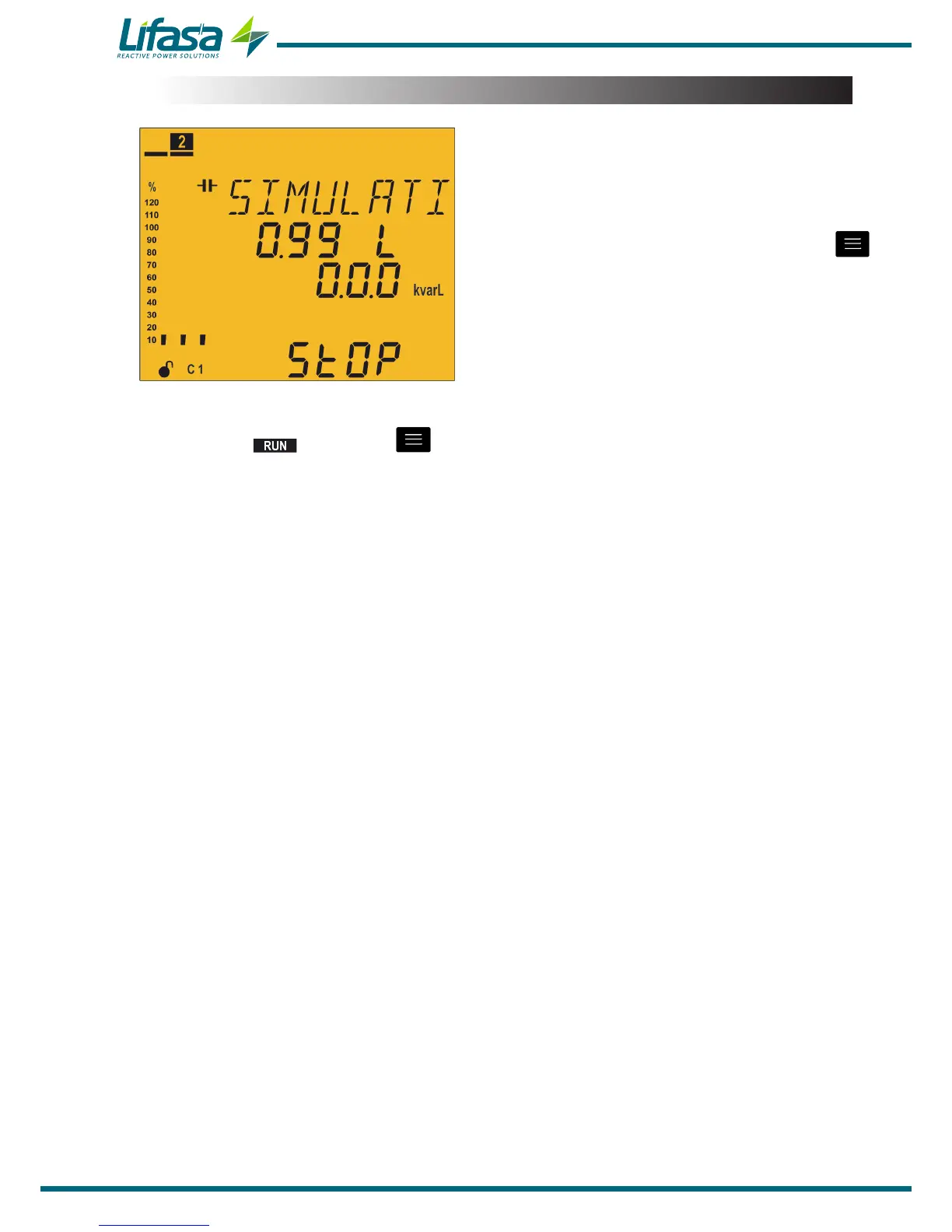
The simulation screen provides certain information which can be used to decide to enter the
measurement status if the key is pressed for 3 seconds or if no keys are pressed
for 5 minutes, or to return to the conguration screens when pressing any of the other keys.
The screen shows the following information:
Measurement of the cos φ.
Three-phase reactive power.
The word STOP, as a reminder that the unit is still not in measurement status.
Simulation of the steps that would be connected upon entering measurement status
and of the analogue bar.
102


 To Next Page