44
Using Programs
Using Heart Rate Control Programs
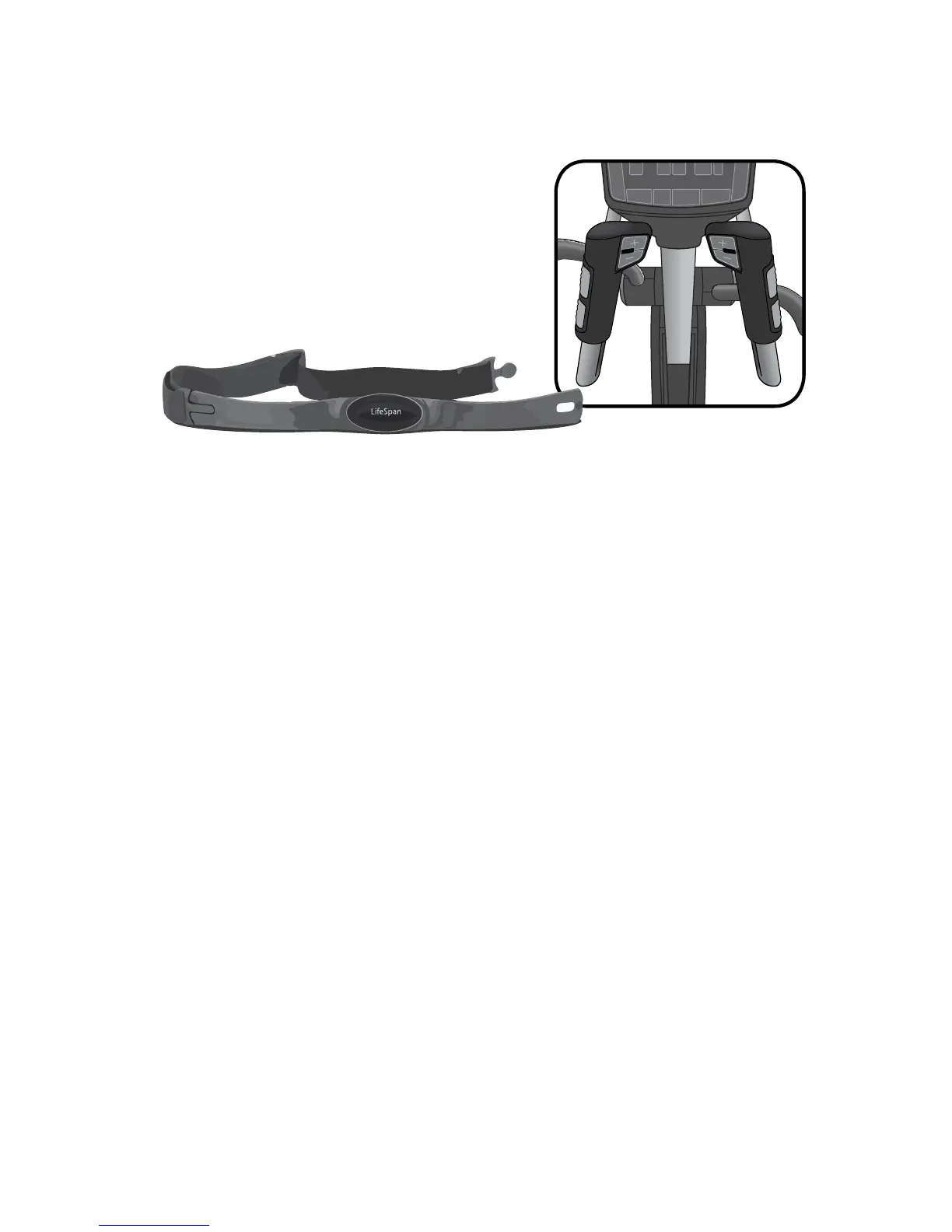
Two heart rate control programs are available
on your console: Constant and Interval. When
using these programs the console will need
to receive your heart rate throughout the
entire workout. Please review the Heart Rate
Monitoring section of this Owner’s Manual for
more information.
HRC – Constant
The Constant program lets you select a single heart rate that you want to
maintain throughout your workout and the elliptical will maintain this heart
rate for you by either adjusting the Level or Ramp.
To use this program:
A. Select HRC Constant – Press the Level +/- buttons to select the HRC
Constant program, then press Enter.
B. Set Time – Set the program Time by pressing the Level +/- buttons then
press Enter. The program will include 3-minutes of warm up.
C. Set Weight – Enter Weight by pressing the Level +/- buttons, then
press Enter.
D. Set Age – Enter Age by pressing the Level +/- buttons, then press Enter.
E. Set Target Heart Rate – Set your target heart rate by pressing the Level
+/- buttons then press Enter.
F. Press the Start button to begin your workout.


 To Next Page