47
Saving Your Results
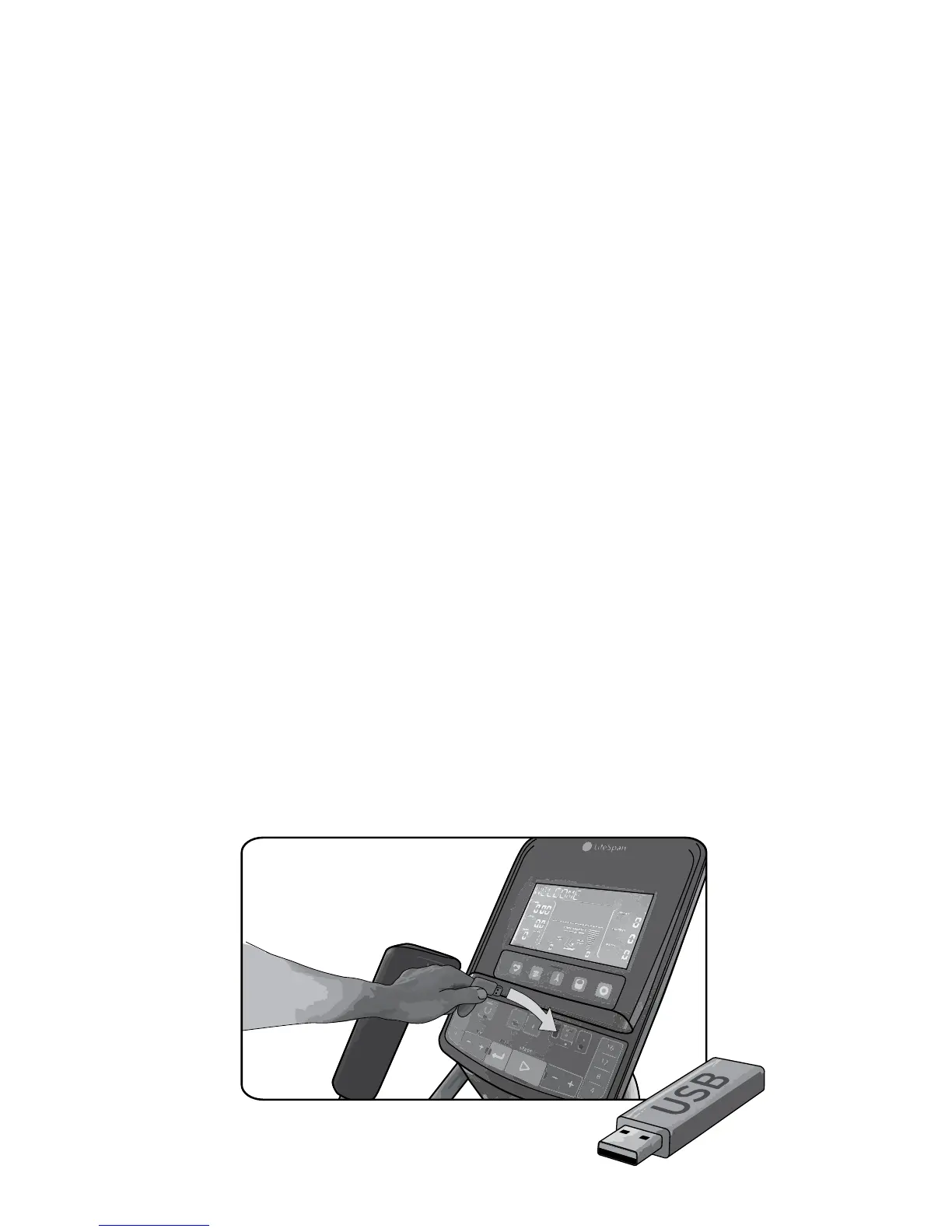
USB Plus
Your LifeSpan elliptical saves a record of your exercise for up to 2 hours. All
you need is a standard USB drive. Almost any brand or model will work.
Remember, it’s important that you Set the Date and Time (page 33) on your
elliptical console rst so your exercise results are accurately date and time
stamped.
You can insert the USB drive, into the USB Plus port anytime during your
workout or after you’ve stopped or paused the elliptical. Just insert a drive
and press the “save” button. You can also charge your phone or other mobile
device while you exercise and then remove the device you’re charging and
replace it with the USB drive to save your data.
When you Stop or Pause a workout or when your workout time ends, the
console will prompt you to “Insert Drive” if you haven’t already done so.
If there is already a USB drive installed or if you install a USB drive after
stopping the elliptical, the console will automatically save your workout
data and a message “Workout Saved” will show on the display. You can also
press the “Save” button anytime and any data currently saved in the console’s
internal memory will be saved to the USB drive.
If however, the elliptical goes into Energy Savings mode at any time without,
your exercise results rst being saved onto a USB drive your exercise data will
be cleared from the console’s internal memory.
*Charging feature does not work with the iPad 1, iPad 2, or iPad 3.
USB drive not included.


 To Next Page