-14-
LIFEWARMER
™
ENABLING/DISABLING AUDIBLE ALERT SYSTEM
The Quantum Blood & Fluid Warming System is equipped with a visual and Audible Alert system in the event of an
over-temperature condition. An over-temperature condition can result in hemolysis to blood and/or elevated touch
temperature of the intravascular tubing. Quantum Systems are provided with this feature fully enabled.
However, the Audible Alert System may pose a hazard to certain military and/or tactical medical users depending
on the use environment. For these users and use cases only, if the presence of the audible alert presents a
potential hazard, it may be disabled by following the instructions below.
Disabling Audible Alert System
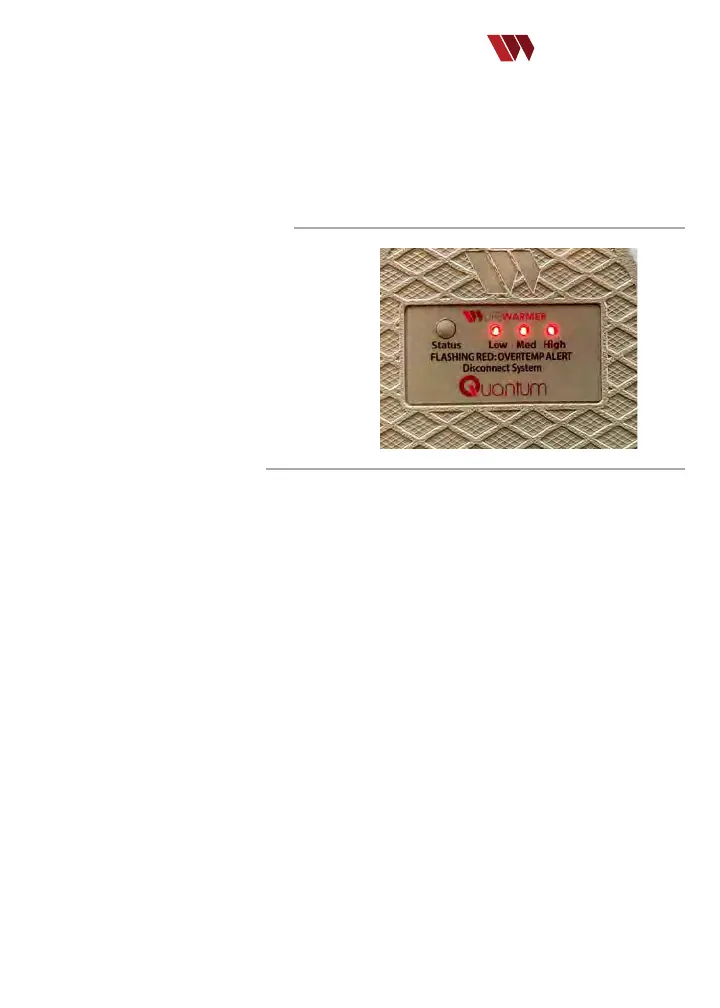
1. Press and hold the Status button on the Battery
continuously for 15 seconds until hearing 3 beeps and
seeing three ashes of the Red LEDs.
2. The Audible Alert System is now deactivated.
The audible alert self check tone on component
connection and in the event of an over-temperature
condition is now silenced until user re-enables. (Note:
the visual over-temperature alert (Red LED strobe)
remains active.
Re-enabling/Self Check
of the Audible Alert System
1. Press and hold the Status button continuously for 15 seconds until hearing the audible alert beep 1 time and the 3
LEDs blink once.
2. The Audible Alert System is now reactivated.
3. The audible self-check tone will now be active when the controller is connected to the battery.
It is strongly recommended that the (over-temperature) Audible Alert System remain enabled unless a tactical hazard
is posed. Re-enable the Audible Alert System following the steps above as soon as possible after the tactical hazard is
no longer present.


 To Next Page