-15-
LIFEWARMER
™
STERILITY STATUS
Sterile Components
Only the uid path and area under the protective end caps of the TIS and TTS-B tubing sets are STERILE. Sterilization
is achieved by exposure to Ethylene Oxide (EO). Note: the protective end caps on the tubing sets should ONLY be
removed immediately prior to tubing use. DO NOT place tube sets or protective end caps in the sterile eld.
Product must be stored in the original unopened packaging where temperatures are between -20ºC to 60ºC. Verify the
‘Use By’ date on the packaging. If it is past the ‘Use By’ date, DO NOT USE.
Single [Patient] Use Components
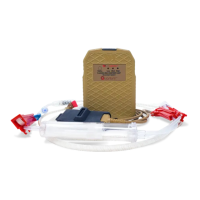
The Quantum TIS (Thermal Infusion Set) and TTS-B (Thermal Transfusion Set – Blood) are disposable, for Single Patient
Use Only. Do not reprocess or resterilize.
Non-Sterile/Reusable Components
The Controller with Jacket, Battery and Charger are reusable and are provided non-sterile. These components do
not support sterilization, but instead should be surface cleaned/disinfected after each patient use according to the
instructions contained in this manual.
CLEANING AND DISINFECTING
Cleaning and Disinfecting Instructions
The Quantum Controller with Jacket, Battery, and Charger are supplied non-sterile and should be surface cleaned/
disinfected after each patient use.
Before cleaning, disconnect the Controller from the Battery. Remove the Battery from the Charger and/or unplug the
Charger from AC power. (Failure to do so before initiating cleaning may expose personnel to unsafe conditions and
result in damage to the device). Note: the following procedures are not guaranteed to control the spread of pathogens.
Consult the local hospital infection control administrator regarding cleaning procedure policies at your institution..
Cleaning
After each use, clean all exterior surfaces of the Controller (with Jacket in place), Battery, and Charger, with a soft
cloth moistened with a mild detergent solution. Remove any residual cleaner from the component surfaces. Dry all
component surfaces. As Needed: the Controller Jacket Connector Slot may be cleaned using the brush provided in
the Cleaning Kit.
Disinfecting
After each use, disinfect all exterior surfaces of the reusable components, i.e., Controller with Jacket, Battery, and
Charger, with a low-level disinfectant (sucient for normal use conditions) with one of the following: 70-90% Ethyl or
Isopropyl Alcohol, Sodium Hypochlorite (5.25-6.15% household bleach diluted 1:500). or commercial medical-grade
wipe (e.g., Kim-Wipe). Dry all component surfaces.
Controller Cleaning/Jacket Replacement
After the Controller is used approximately 10 times (or six months), remove the Jacket and clean the entire Controller,
including the inside of the Circuit Cartridge, with 70-90% Ethyl or Isopropyl Alcohol. Let dry 2 minutes. Using Quantum
Cleaning Kit, reapply Hydrophobic Coating to the Circuit Cartridge and install a new Jacket. Note: Once a Jacket has
been removed, it should be discarded and replaced with a new Jacket.
When using in conditions of excessive moisture (e.g., eld use/rain, etc.), reapply hydrophobic coating and replace the
Jacket after each use. (Note: do not reuse Jackets. If the Jacket is removed, it must be replaced with a new Jacket to
ensure proper t).
Note: Do not use caustic or abrasive cleaners or strong solvents.


 To Next Page