TruScan 532 Single - Wavelength – Operators Manual Rev. No 02 Page 33 of 114
4.2 Laser Controls and LCD Touch Control Displays
A. Laser Console
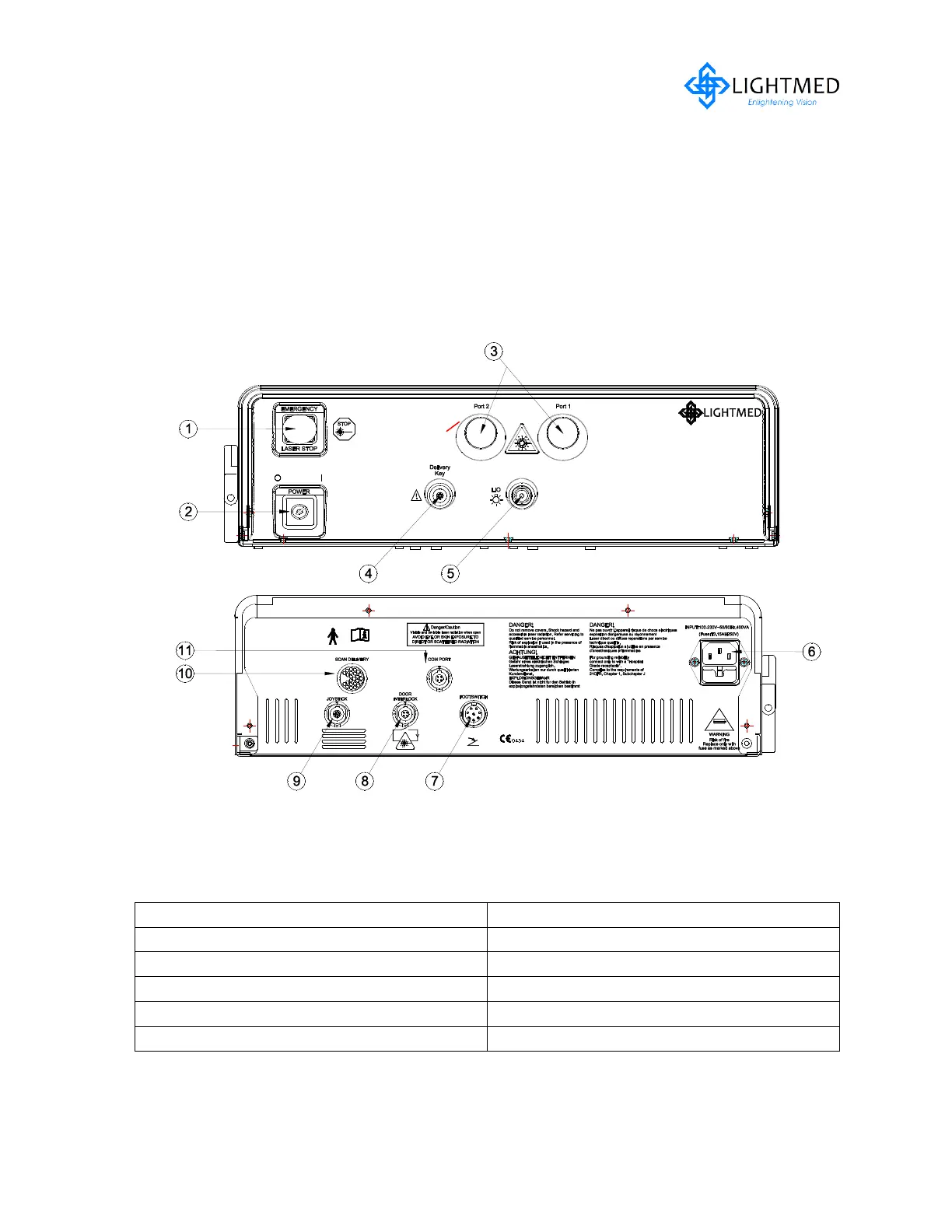
All the TruScan 532 Single-Wavelength Photocoagulator’s controls and displays are
located either on the console front panel or the rear panel and LCD display control panel
(refer to fig. 4.4 - 4.7). A detailed description of each control and display is explained on
the next page.
Figure 4.4 Laser Console Connection / Controls
Legend
3. Laser Aperture (Port 1 / Port 2)
4. Delivery Key Connector
9. Remote Interlock Connector



 To Next Page