12 Zulu User Guide
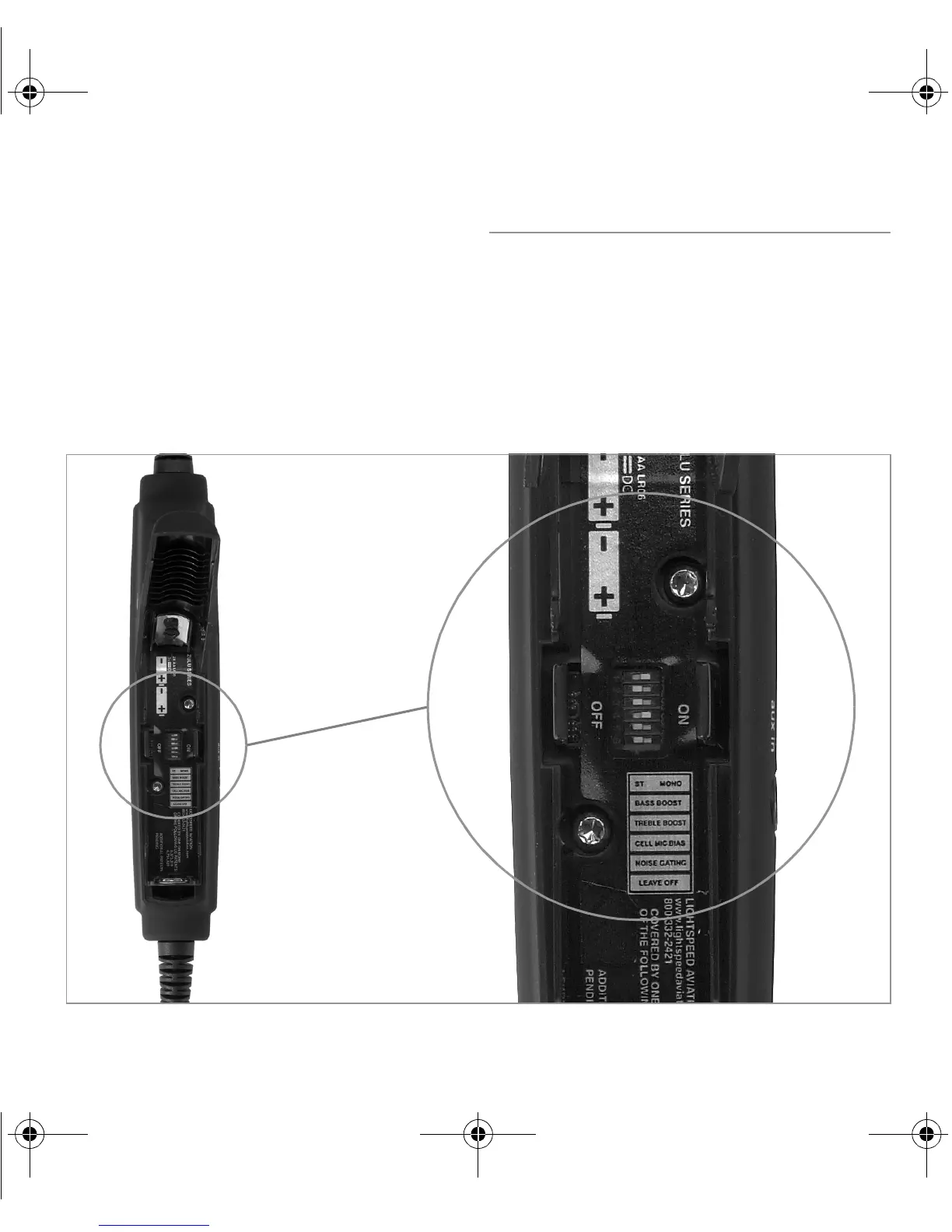
Setting DIP switches
Zulu DIP switches are factory-set to match most audio panels. You may need to
adjust the Stereo/Mono DIP switch to match your setup, but in most cases, you
can leave switches set to their factory defaults. See the table on the next page for
recommendations on DIP switch settings.
To change a DIP switch setting, open the battery door and remove one or both batteries.
Slide the switch to the desired position, OFF or ON, using a pen, toothpick, or paper clip.
ZuluUG_online.book Page 12 Thursday, December 27, 2007 9:50 PM


 To Next Page