January 2008 5
Changing batteries and monitoring battery life
Zulu requires two AA batteries (included). Use
alkaline batteries for best performance.
When Zulu is turned on and battery power is strong,
the power indicator LED flashes green. Under
normal conditions, a set of batteries provides up
to 50 hours use; however, heavy Bluetooth use can
significantly reduce battery life.
When batteries run low, the power LED flashes
red. If the power LED flashes red when you first
turn on the headset, Lightspeed recommends
that you install fresh batteries before take-off.
If batteries run low during flight, it’s best to keep
Zulu powered on continuously until you can
change the batteries safely.
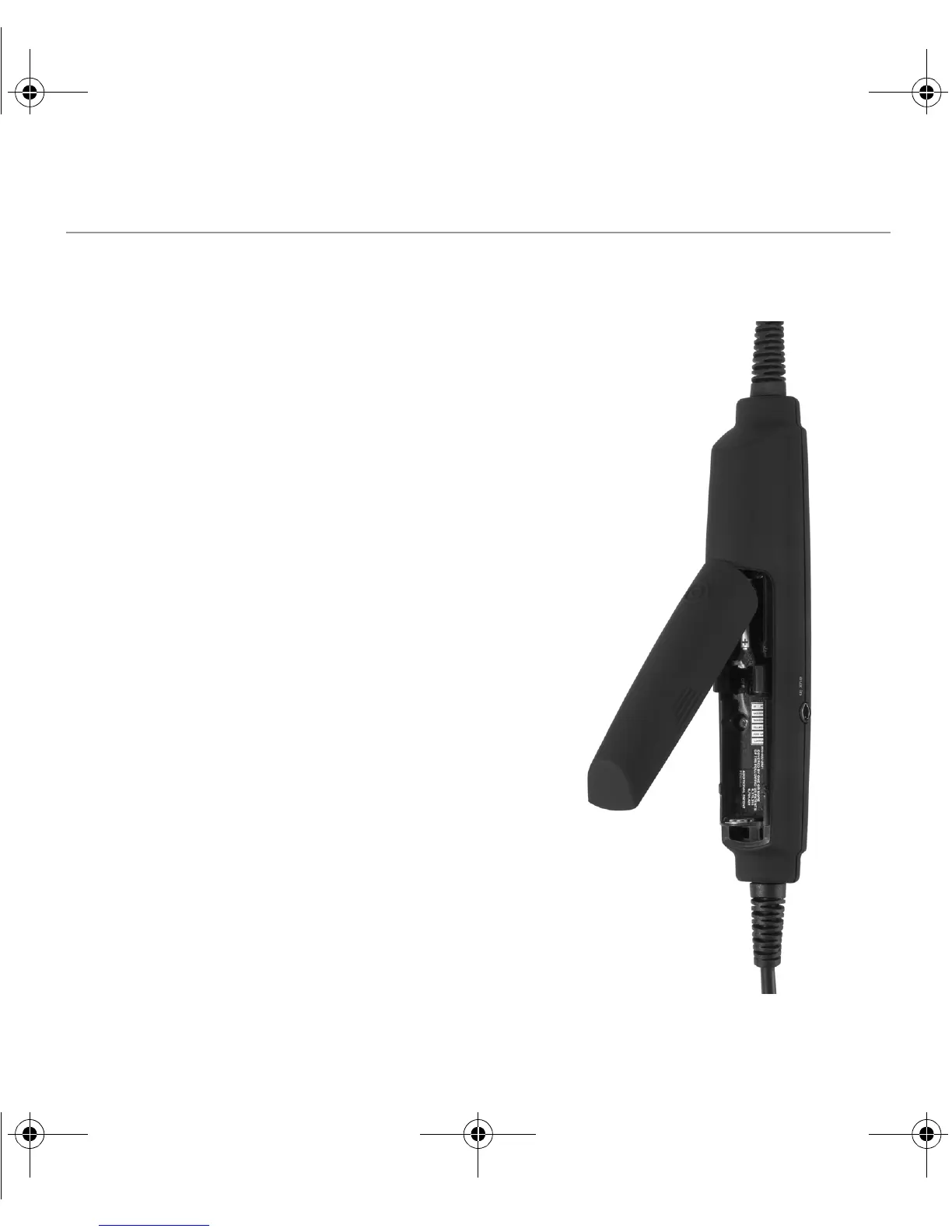
To install batteries, open the battery door
on the back of the Zulu controller, either by
pressing down on the circle icon to pop open
the door or by prying open the door along its
grooved edges. Alternatively, you can grasp
the finger grips on the sides of the battery
door and pull up with a slight diagonal twist.
Zulu’s power shuts off automatically 2 minutes
after you remove the headset from your head.
ZuluUG_online.book Page 5 Thursday, December 27, 2007 9:50 PM


 To Next Page