4 Zulu User Guide
Setting up Zulu
What’s in the box
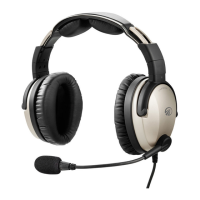
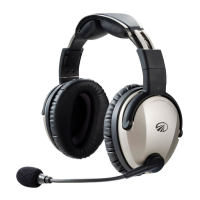
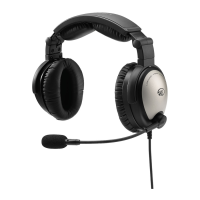
Your Zulu headset package includes:
Fitting your headset
A good headset fit is a key part of both comfort and ANR performance. Zulu’s Active
Noise Reduction feature requires a good seal around your ears and a symmetrical
fit over your head. When properly fitted, the ear cups should completely cover your ears
and the headband should rest lightly on top of your head.
To fit the headset to your head:
1. Fully extend both ear cup sliders.
2. Put the headset on with the microphone and cable to your left.
3. Pressing the top of the headband down onto your head, slide up each ear cup until it
covers your entire ear without pinching any part of your ear under the seal. Make sure
the two ear cup sliders are extended an equal amount.
4. Position the microphone 1/8 inch from your mouth.
The Zulu headset adjusts to fit most adults. If you have a small head or are using the
headset for a child, contact Lightspeed for different headpads
.
■
Zulu ANR headset
■
Microphone windscreen
■
Two AA batteries
■
This user guide
■
Carrying case and detachable shoulder strap
■
Cell phone cable with standard 2.5 mm connector
■
Audio device cable
ZuluUG_online.book Page 4 Thursday, December 27, 2007 9:50 PM


 To Next Page