11
2022-07-19
->Add slaves
Replace slave
Remove slaves
Reset all slaves
->Adressing Slaves
SEF
Communication
De-/Activate Damper
Status Overview
-> System Setup
Settings
Manual/Auto
Replace slave
Remove slave
Reset all slaves
->Find addressed sl.
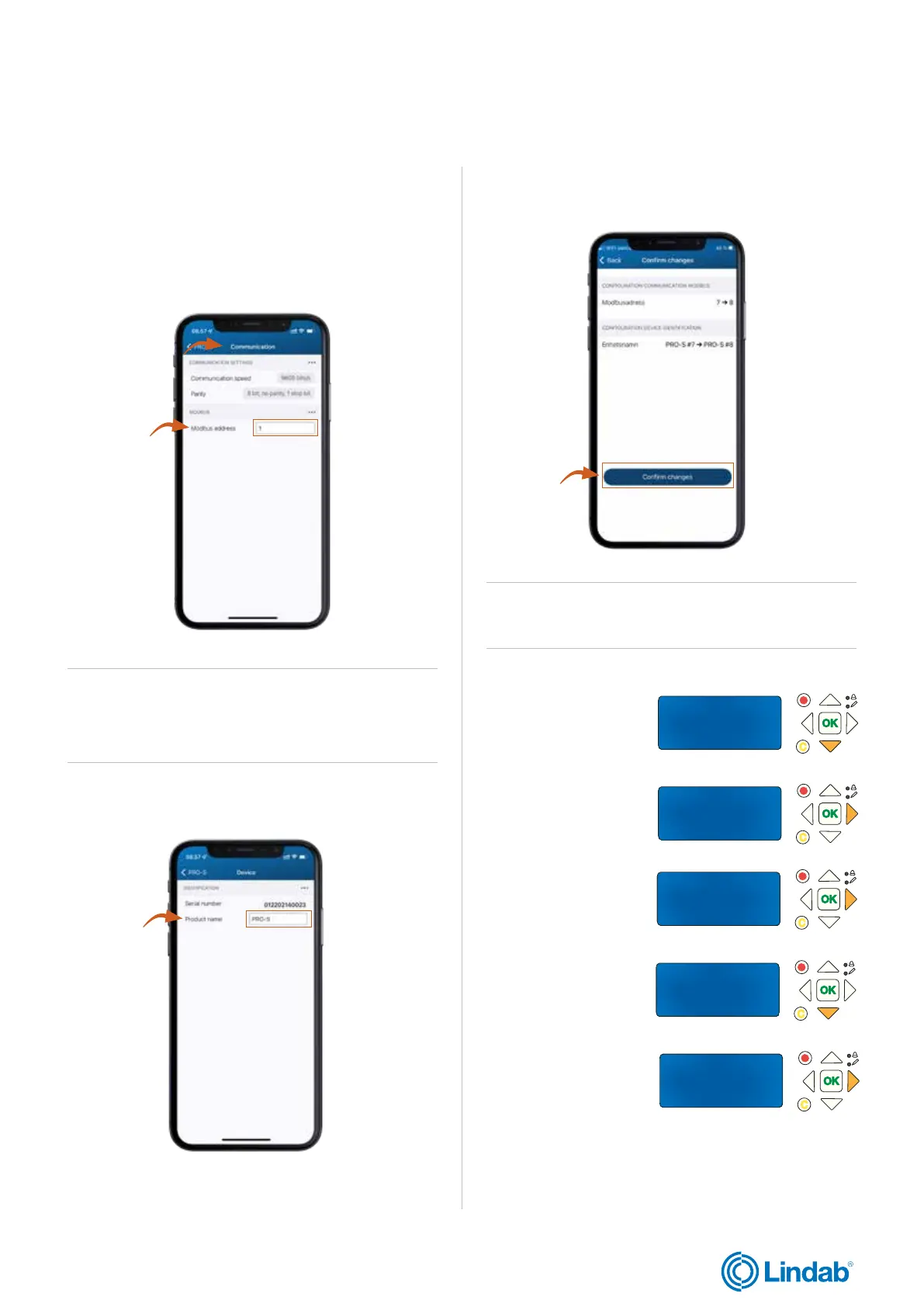
4. Access ”communication” and set modbus address
according to requirements.
Note! Lowest modbus address for PRO-S is four (4)
6. Confirm changes
Attention! Repeat the steps for other PRO-S
damper unit. When all units are identified and
addressed, go to the next step.
Find addressed slave
Start: No
Status: Idle
Found 0 0 %
lindab | commissioning guide
We reserve the right to make changes without prior notice
FireSystemPro
7. In the PRO-M master
unit, press ”down” to find
”System Setup”
8. Press ”forward”
to access ”System
Setup”
9. Press ”forward” to
access ”Addressing
slaves”
10. Press ”down”
to ”Find Addressed
slaves”
Note! If you want to add damper units in different sections in
the system, it is important that they are in line in the modbus
address, i.e. address 1-10 = section 1, address 11-20 =
section 2 and so on.
5. Optional: It is also possible to change the name of the
unit, for example to specify where it is located.
Continue with next step on following page
11. Press ”forward” to
access ”Find Addressed
slaves”


 To Next Page