8
10. CONTROLS, TEMPERATURE AND ADJUSTMENT:
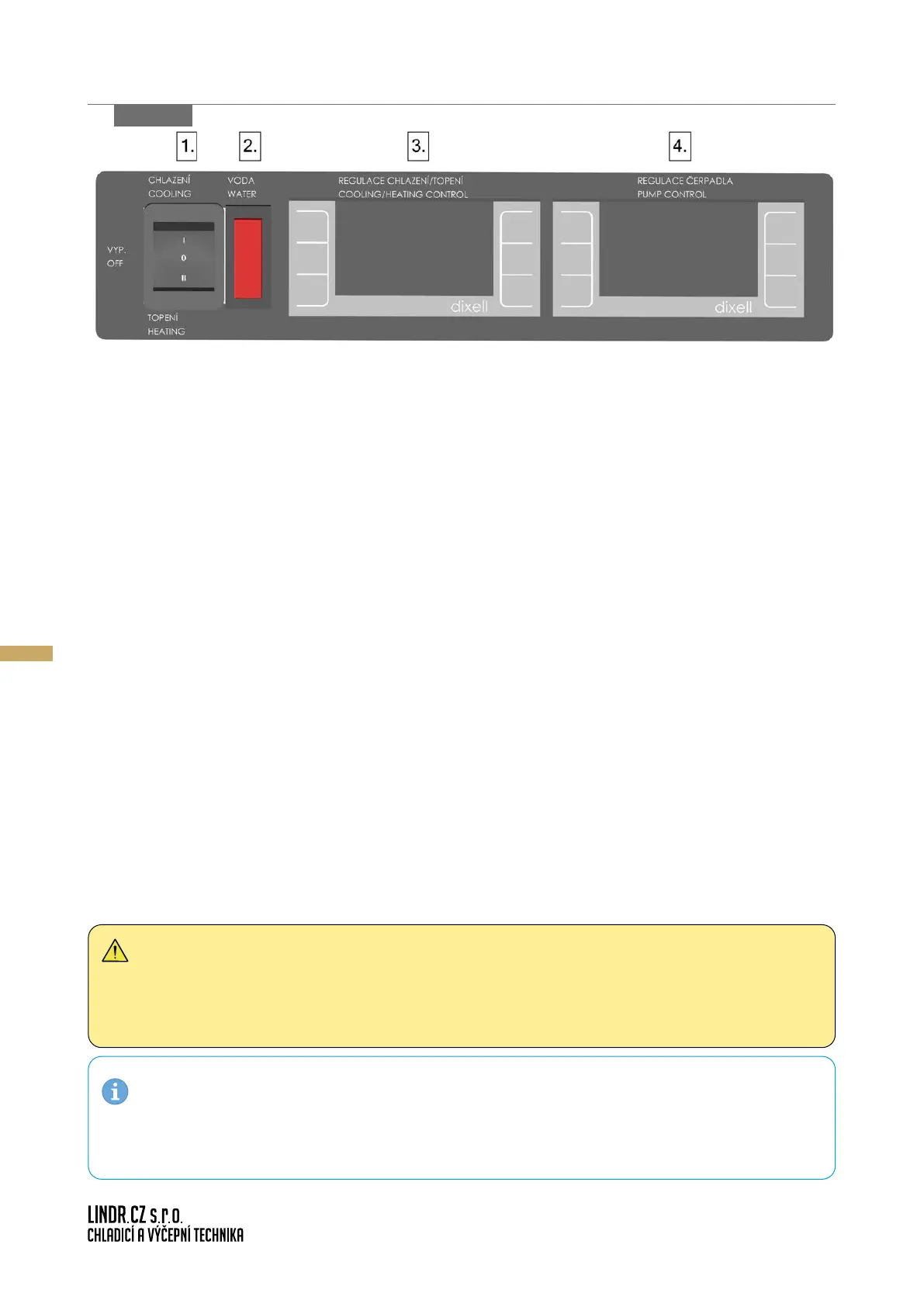
1. Cooling/heating mode switch:
Used for mode setting
• 0 position = o
• I position = cooling (Cooling ModeI: It is recommended to set a lower temperature
on the cooling thermostat (no.3.) than on the pump control the
mostat (no.4.))
• II position = heating (Heating Mode: It is recommended to set a higher temperature
on the heating thermostat (no.3.) than on the pump control ther-
mostat (no.4.))
2. Low water level indicator:
Used for indicating low water level in the tank. If lit up, the device is out of operation.
Rell with water.
3. Dixell XR20CX thermostat:
Used for setting water temperature in the cooler.
4. Dixell XR20CX thermostat + external sensor:
Used for pump regulation. The external sensor is capable of measuring the temperature of the
cooled product. A circulation pump will start up if temperature deviates from the set value.
After achieving the set value within the specied range, the pump will switch o again auto-
matically.
gure 8 a
WARNING: If you wish to set the thermostat (no. 3) within temperature range of -6 to 0°C,
the cooling circuit must be lled with antifreeze. It is recommended to use an eco-friendly
antifreeze mixture based on monopropylene glycol that is suitable as a heat transfer medium
for all heating and cooling systems.
NOTE: For safety reasons, the device monitors the water level in the tank. If water level
drops below the set value, the device turns o. This state is indicated by a red warning light on
the front of the device. The device restarts automatically once water is relled.


 To Next Page