Rev: 08.31.20 Page 12 CCD-0002697
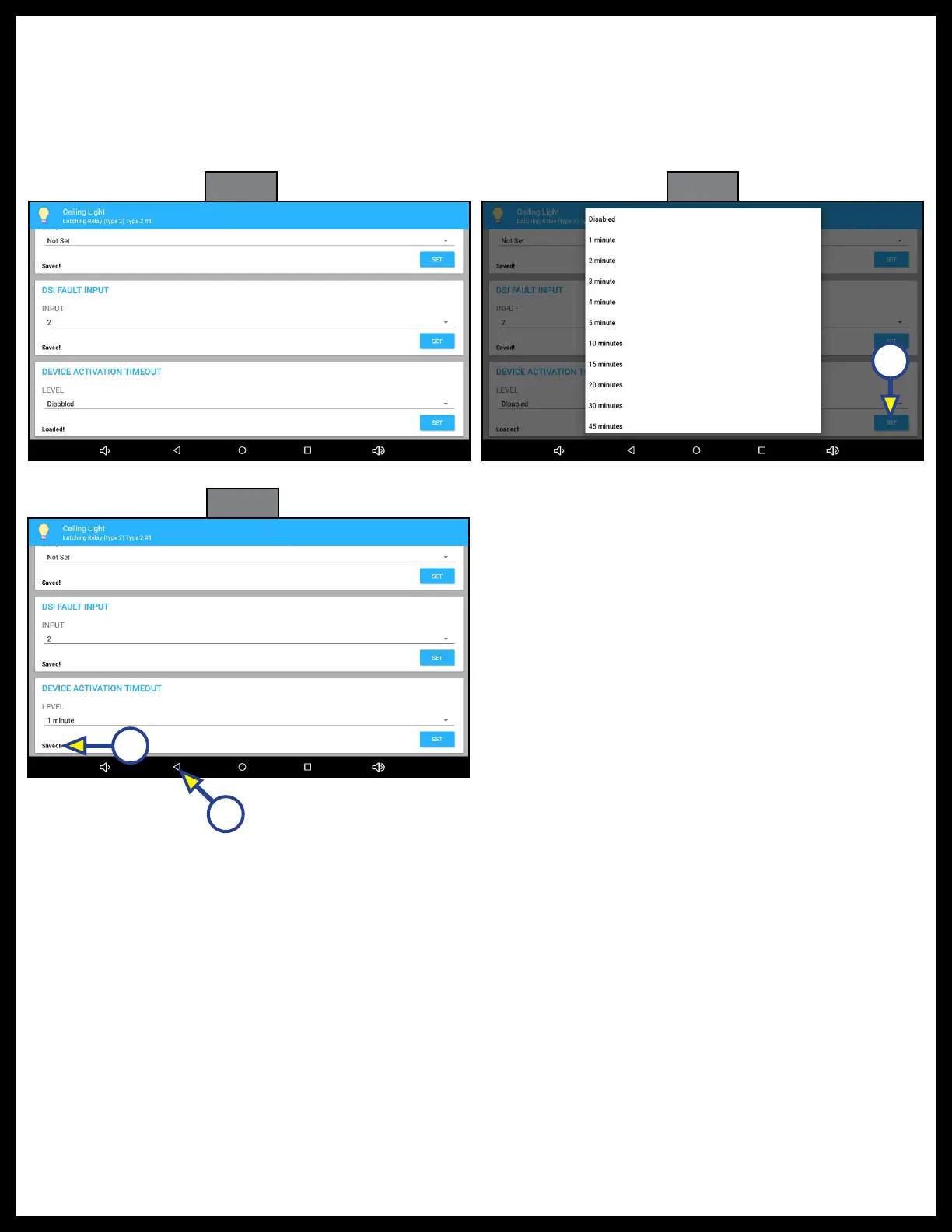
27. DEVICE ACTIVATION TIMEOUT (Fig. 38): Scroll down to DEVICE ACTIVATION TIMEOUT.
28. Choose one of the options (Fig. 39): Disabled, various increments from 1 minute to 1 hour.
29. Press SET (Fig. 39A). Saved! will replace Loaded! on the screen (Fig. 40A).
30. Press the back button at the bottom of the screen (Fig. 40B) to return to the main configurator screen.
31. Program up to three additional Latching Relay options utilizing the same procedures.
Fig. 38
Fig. 39
Fig. 40
A
A
B



 To Next Page