Rev: 08.31.20 Page 14 CCD-0002697
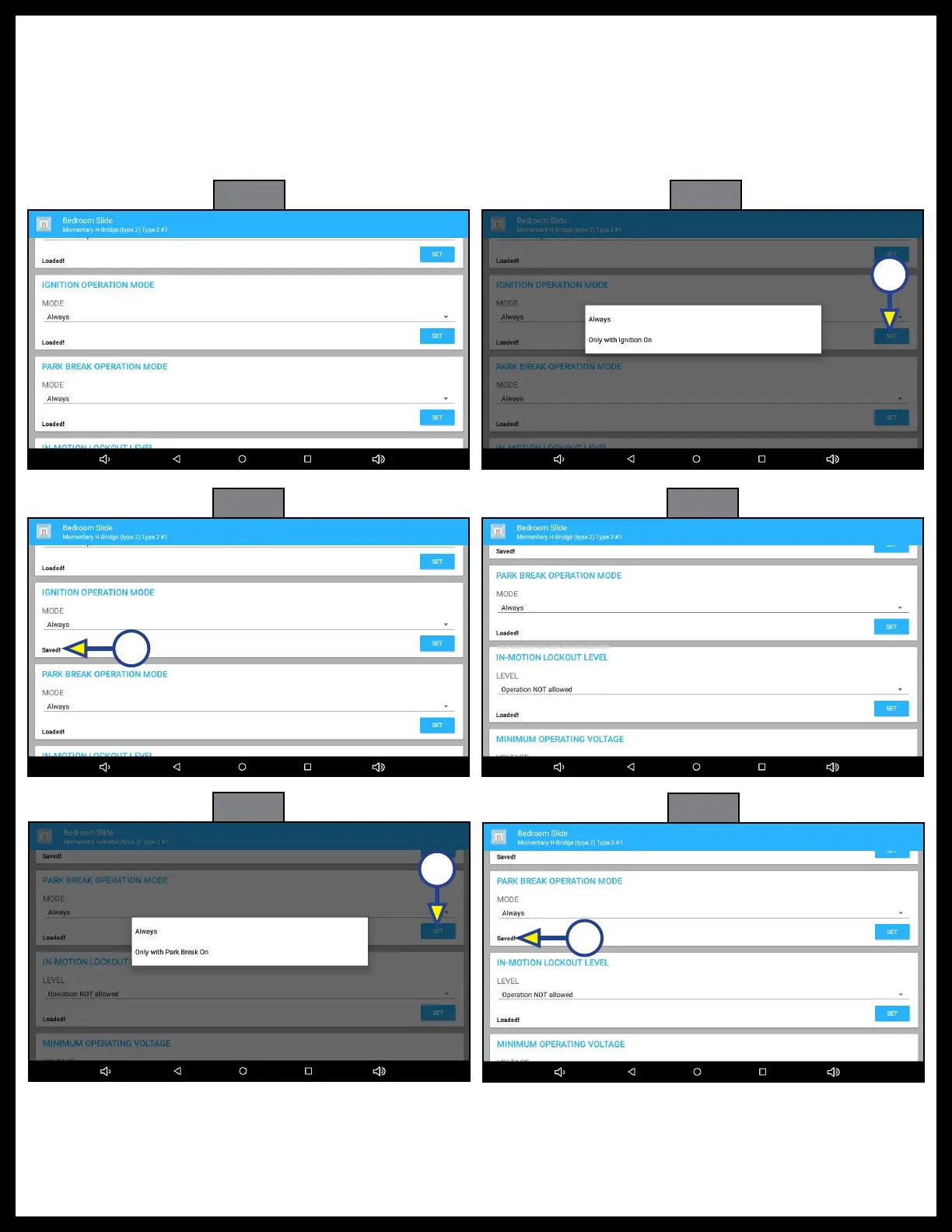
5. IGNITION OPERATION MODE (Fig. 45): Scroll down to IGNITION OPERATION MODE.
6. Choose one of the options (Fig. 46): Always or Only with ignition On.
7. Press SET (Fig. 46A). Saved! will replace Loaded! on the screen (Fig. 47A).
8. PARK BRAKE OPERATION MODE (Fig. 48): Scroll down to PARK BRAKE OPERATION MODE.
9. Choose one of the options (Fig. 49): Always or Only with Park Brake On.
10. Press SET (Fig. 49A). Saved! will replace Loaded! on the screen (Fig. 50A).
Fig. 45
Fig. 46
Fig. 47
Fig. 48
Fig. 49
Fig. 50
A
A
A
A



 To Next Page