Rev: 08.31.20 Page 17 CCD-0002697
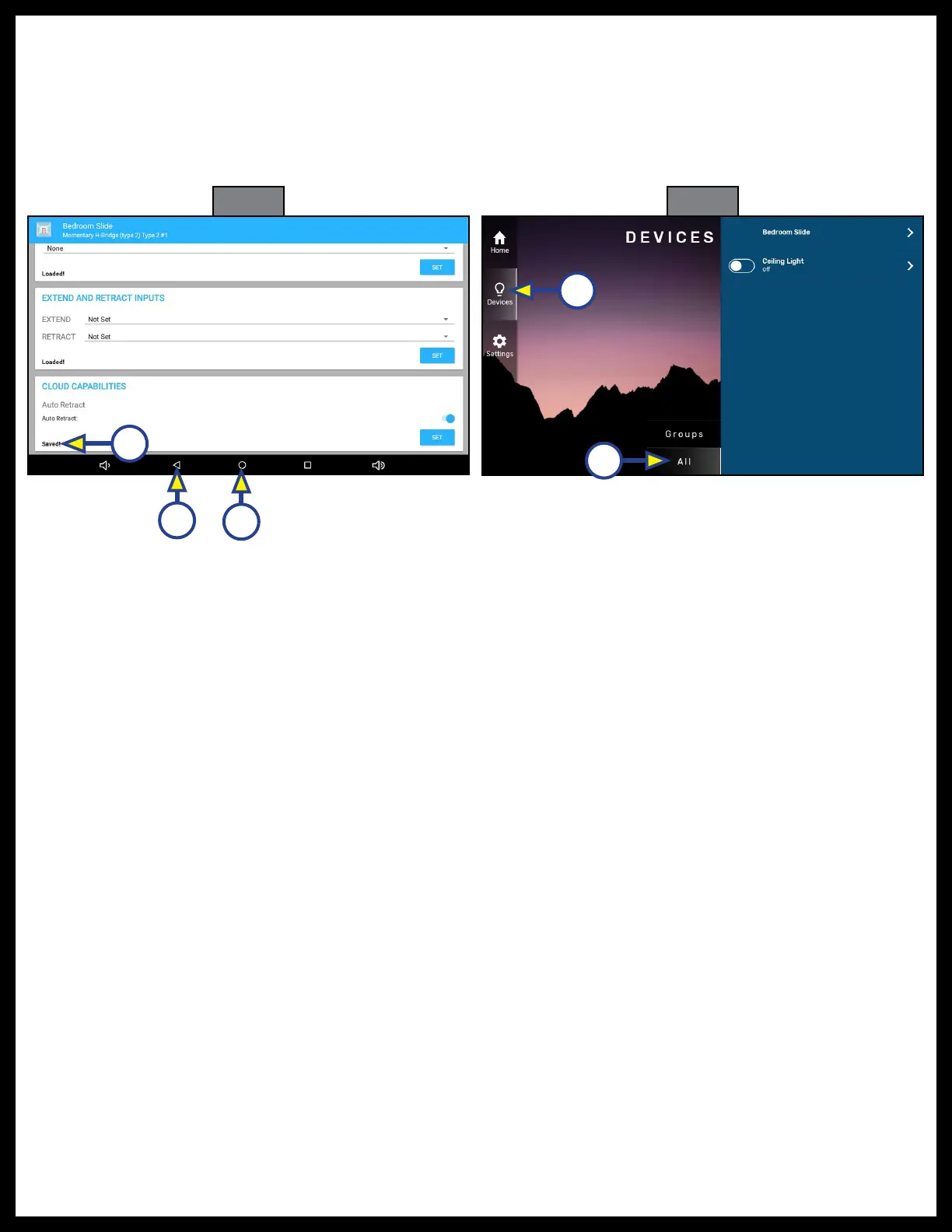
Fig. 61
A
B
Fig. 62
A
22. Saved! will appear on the screen in the lower left (Fig. 61A).
23. Press the back button (Fig. 61B) to return to the main configuration screen.
24. Configure up to four more pairs of reversing outputs.
25. Press the Home button (Fig. 61C) to return to the Home screen.
26. The configured options appear on the DEVICES tab of the One Control app when selecting Devices
(Fig. 62A) and either the Groups or All (Fig. 62B) categories.
B
C



 To Next Page