Rev: 08.31.20 Page 16 CCD-0002697
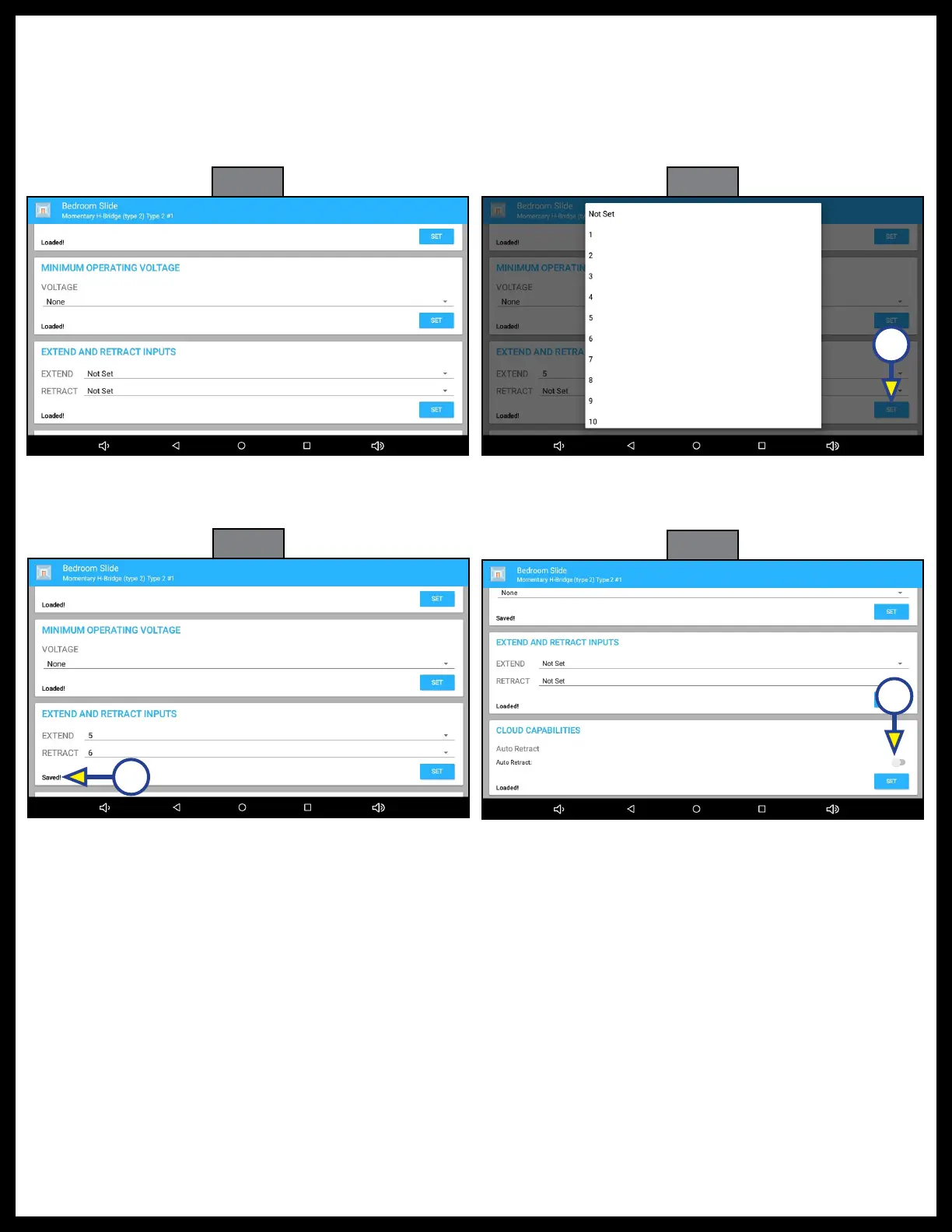
Fig. 57
Fig. 58
Fig. 59
A
17. EXTEND AND RETRACT INPUTS (Fig. 57): Scroll down to the EXTEND AND RETRACT INPUTS.
18. Select the input numbers to be assigned to EXTEND and RETRACT for this output (Fig. 58).
19. Press SET (Fig. 58A) Saved! will replace Loaded! on the screen (Fig. 59A)
20. CLOUD CAPABILITIES (Fig. 60): Scroll down to CLOUD CAPABILITIES.
21. To select CLOUD CAPABILITIES, press the toggle button located above the SET button (Fig. 60A).
A
Fig. 60
A



 To Next Page