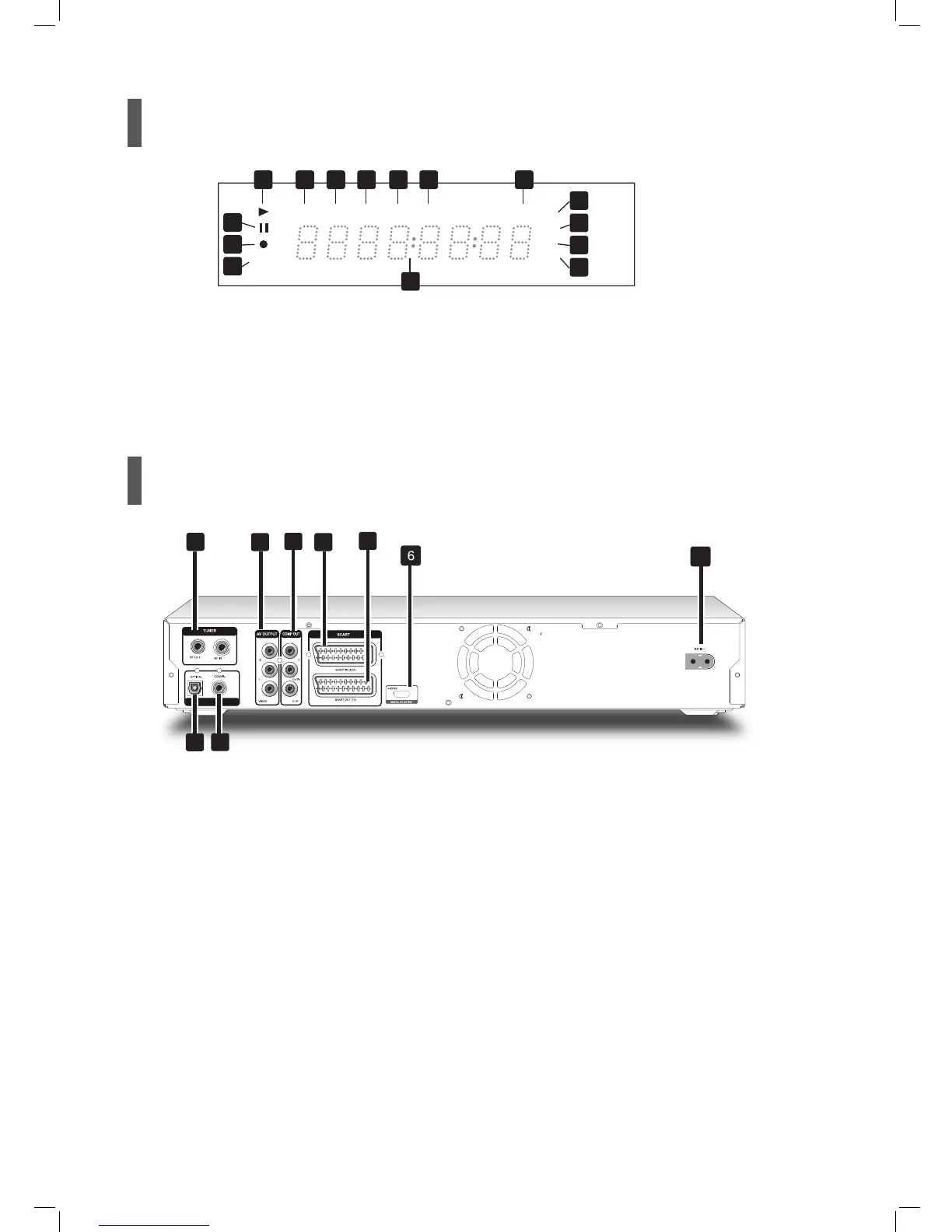
1 PLAY indicator
2 DVD indicator
3 SVCD indicator
4 VCD indicator
5 CDDA indicator
6 FILE indicator
12 Multi-information window
9 PAUSE indicator 14 CD-R/DVD-R indicator
13 DVD+RW indicator
11 TIMER RECORD indicator
10 RECORD indicator
8 DVD+R indicator
7 CD indicator
TIMER
DVD SVCD VCD CDDA CD
+R
+RW
-R
-RW
FILE
12
21 3 4 5 6 7
8
13
14
15
9
10
11
15 CD-RW/DVD-RW indicator
8 DIGITAL AUDIO OUT (COAXIAL) jack
Connects an amplifier or a receiver with a
digital input jack
7 DIGITAL AUDIO OUT (OPTICAL) jack
Connects an amplifier or a receiver with a
digital input jack
3 COMP OUT (COMPONENT) jacks
Connects the inputs of external equipment via
component video cables
6 HDMI DIGITAL OUT jack
Connects a TV or an AV amplifier (receiver)
with HDMI input jack (via HDMI cable)
1 VHF/UHF IN/OUT jacks
Connects antenna cables
2 AV OUTPUT (VIDEO/AUDIO L/R) jacks
Connects the inputs of external equipment
via composite video/audio cables
1
2
4
5
7
8
3
9
4 SCART INPUT jack
Connects the output of external equipment
via SCART cable
5 SCART OUTPUT jack
Connects the input of external equipment
via SCART cable
9 AC IN terminal
Connects the power cord
1
*Appearance of the unit may vary slightly depending on the model.
(*for models designed with a detachable power cord)



 To Next Page