34
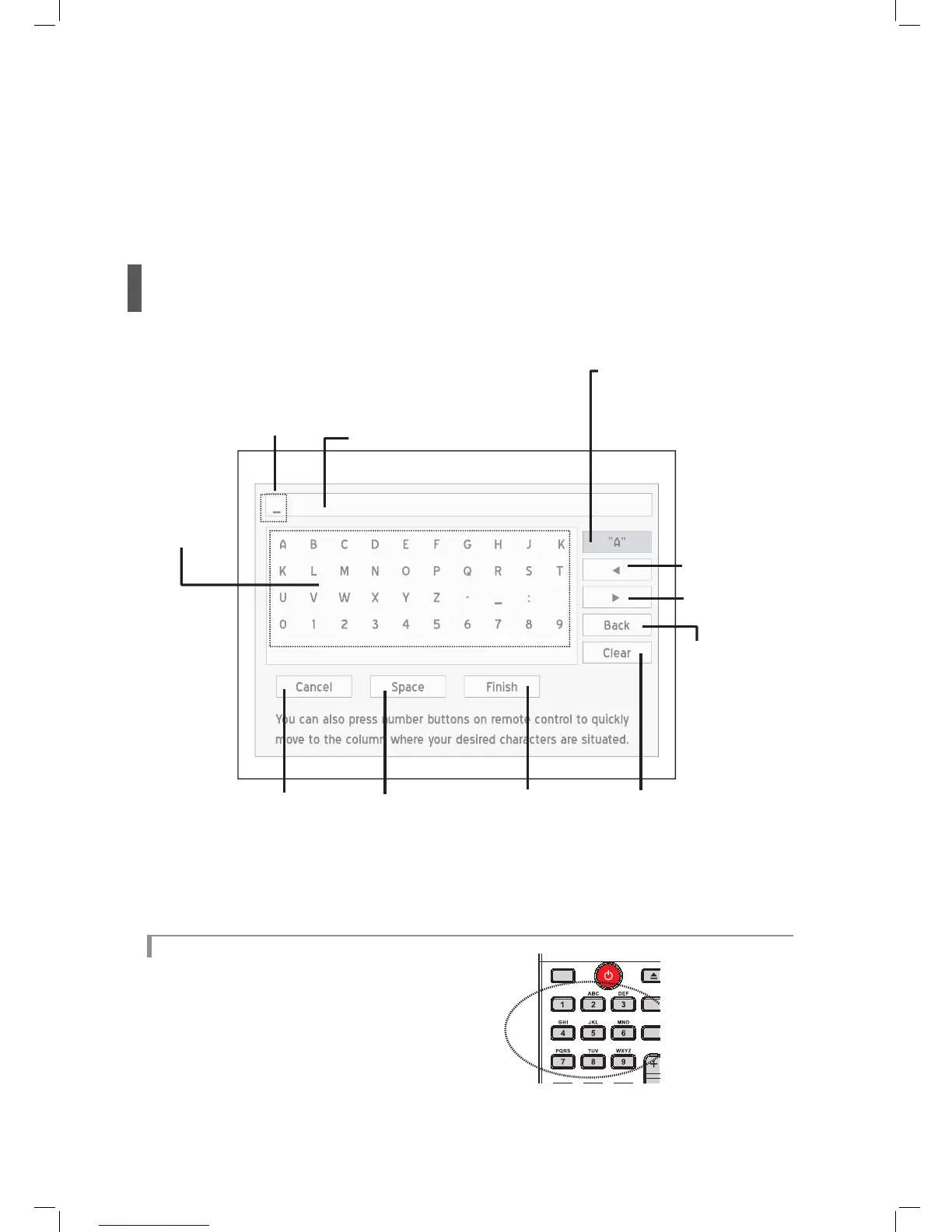
On-Screen Input Keypad
On-screen input keypad offers you a simple way to enter fi le names. Entering your desired characters can be easily
done by pressing the and ENTER buttons on your remote control.
Screen Overview
Shortcut Buttons
You can use the number-letter shortcuts on remote
control to quickly select desired characters. When
you press one of the number buttons, corresponding
characters will be highlighted on-screen. Press
the button repeatedly until you desired character
is highlighted, then press ENTER to confi rm your
selection.



 To Next Page