9
Connections
The following sections introduce a step-by-step process to set up this DVD recorder. When more than one setup
option are listed at a specifi c stage, please refer to the option most suitable for your setup condition.
DVD Recorder Overview
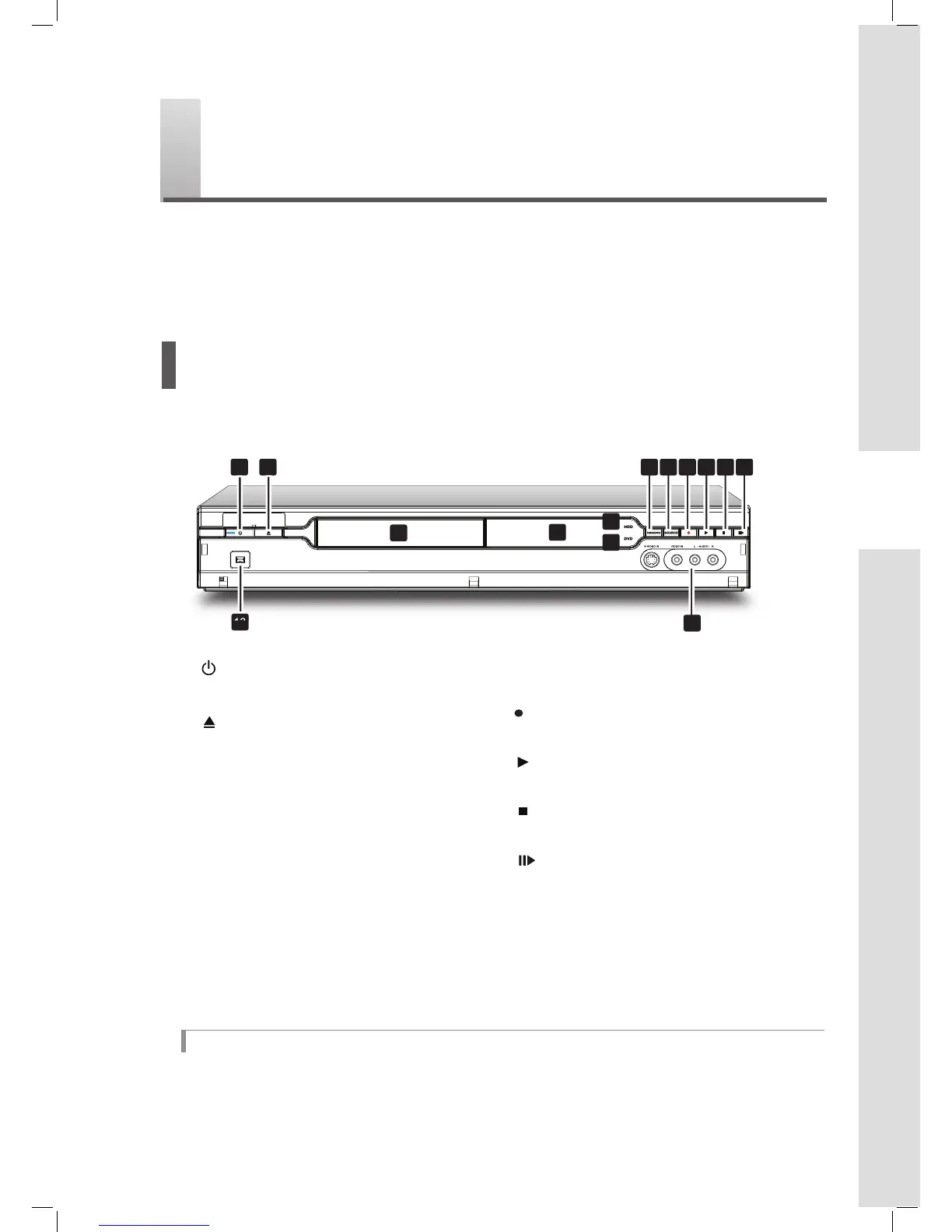
Front View
1
2
4 DISPLAY window
Shows operation information
2 OPEN/CLOSE button
Opens or closes the disc tray
7 8 9 10 11 12
3
5
6
4
14
3 Disc tray
Holds discs securely during recording or
playback
5 HDD indicator
Lights when HDD (hard disk drive) is selected
as the target device
6 DVD indicator
Lights when DVD drive is selected as the target
device
7 HDD/DVD button
Changes DVD recorder’s current mode from
HDD (hard disk drive) to DVD and vice versa
8 SOURCE button
Selects equipment connected via line inputs
13 DV-LINK (IEEE 1394) jack
Connects digital camcorder
14 LINE IN (S-Video/Composite VIDEO &
AUDIO L/R) jacks
Connects the outputs of external equipment
via S-Video or composite video/audio cables
1 POWER ON/OFF button
Switches on the DVD recorder or switches
the unit to standby mode
9 RECORD button
Starts recording on current device
10 PLAY button
Starts playback on current device
11 STOP button
Stops playback or recording
12 PUASE/STEP button
Pauses playback or recording
*Appearance of the unit may vary slightly depending on the model.
When using the LINE IN jacks
By default, this DVD recorder automatically selects S-Video signal over the composite one when both input jacks are
used to connect to other devices. If you would like your videos to be imported from a specifi c source, you can either
change the default setting through Setup → Video Input/Output → Front AV Input, or use one set of the connec-
tions at a time.
Connections



 To Next Page