30
Renaming TV Channels
1
Press to select a channel from the list, then
press ENTER.
2
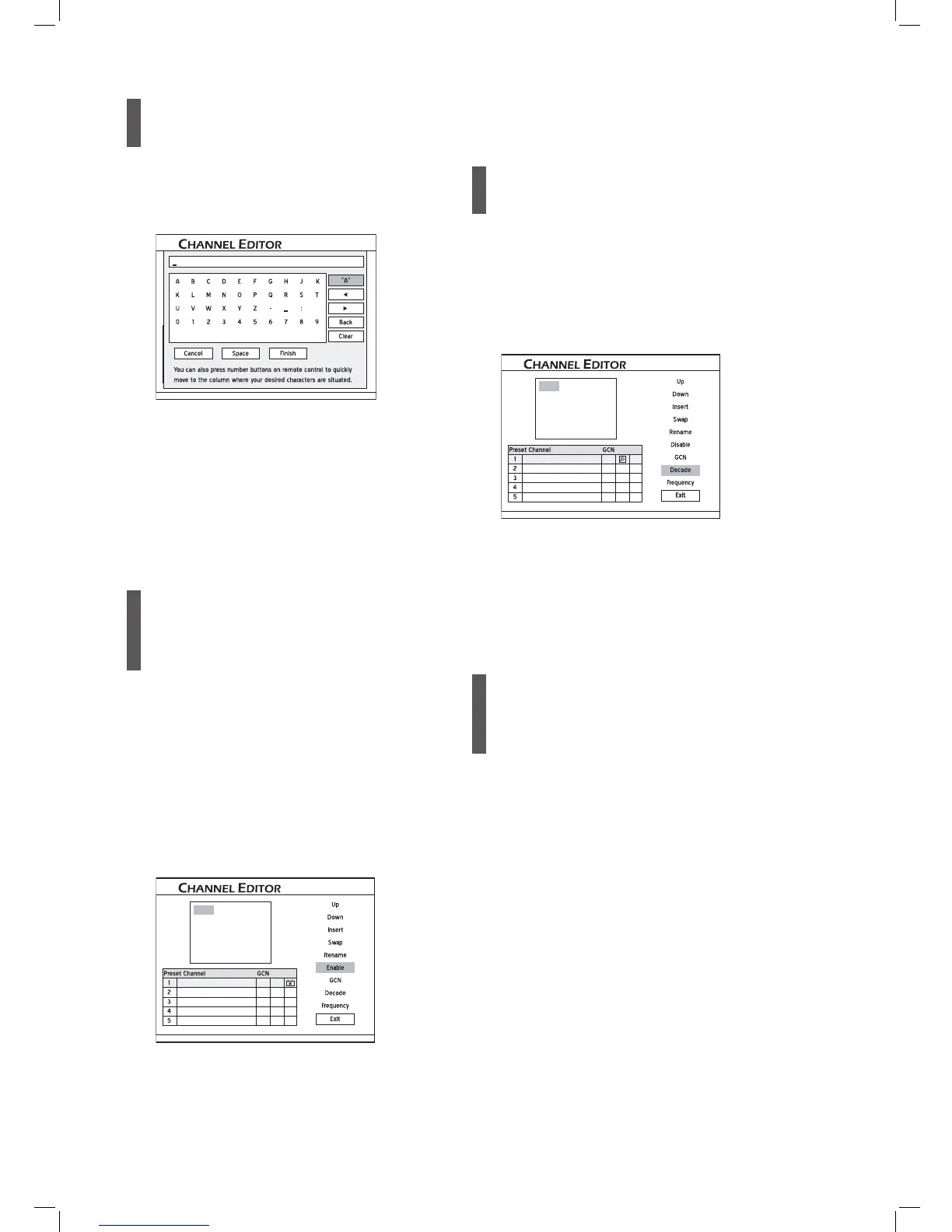
Press to select ‘Rename’, then press ENTER.
The keypad screen will appear.
3
Press to select desired characters from
the keypad, then press ENTER after each entry.
For more information, please see the section ‘On-
Screen Input Keypad’ (p.34).
4
When completed, press to select ‘Exit’ or
another option to continue, then press ENTER.
You can enter up to 10 characters for a name.
Enabling/Disabling TV
Channels
The automatic scanning process will list all the avail-
able channels for your reference. You can further edit
this list by activating the ‘Enable/Disable’ function,
which allows you to temporarily disable unwanted
channel(s) from the list or enable the previously
hidden channel(s) back to the list.
1
Press to select a channel from the list,
then press ENTER.
2
Press to select ‘Enable’ or ‘Disable’, then
press ENTER.
CNN News
Animax
AXN Sports
Discovery
HBO
CH:01
The channel selected will then be switched on or off.
3
To switch on or off other channels, repeat steps
1-2.
4
When completed, press to select ‘Exit’ or
another option to continue, then press ENTER.
Setting Decoder
Use this option to switch on or off the ‘Decode’
function for particular TV channel(s).
1
Press to select a channel from the list,
then press ENTER.
2
Press to select ‘Decode’, then press ENTER.
CNN News
Animax
AXN Sports
Discovery
HBO
CH:01
A key icon will appear, indicating that the ‘Decode’
function for the selected channel is switched on.
3
To set the ‘Decode’ function on or off for other TV
channels, repeat steps 1-2.
4
When completed, press to select ‘Exit’ or
another option to continue, then press ENTER.
Setting Channel Fre-
quency
Use this option to search for better channel signal, or
to search for a particular channel which has not been
listed after the scanning process.
1
Press to select a channel from the list,
then press ENTER.
2
Press to select ‘Frequency’, then press
ENTER.
3
A pop-up box for entering the channel frequency
will appear. Press or number buttons
(0-9) to enter the channel frequency, then press
ENTER.



 To Next Page