Using the Solo PRO interface
To use the Solo PRO interface:
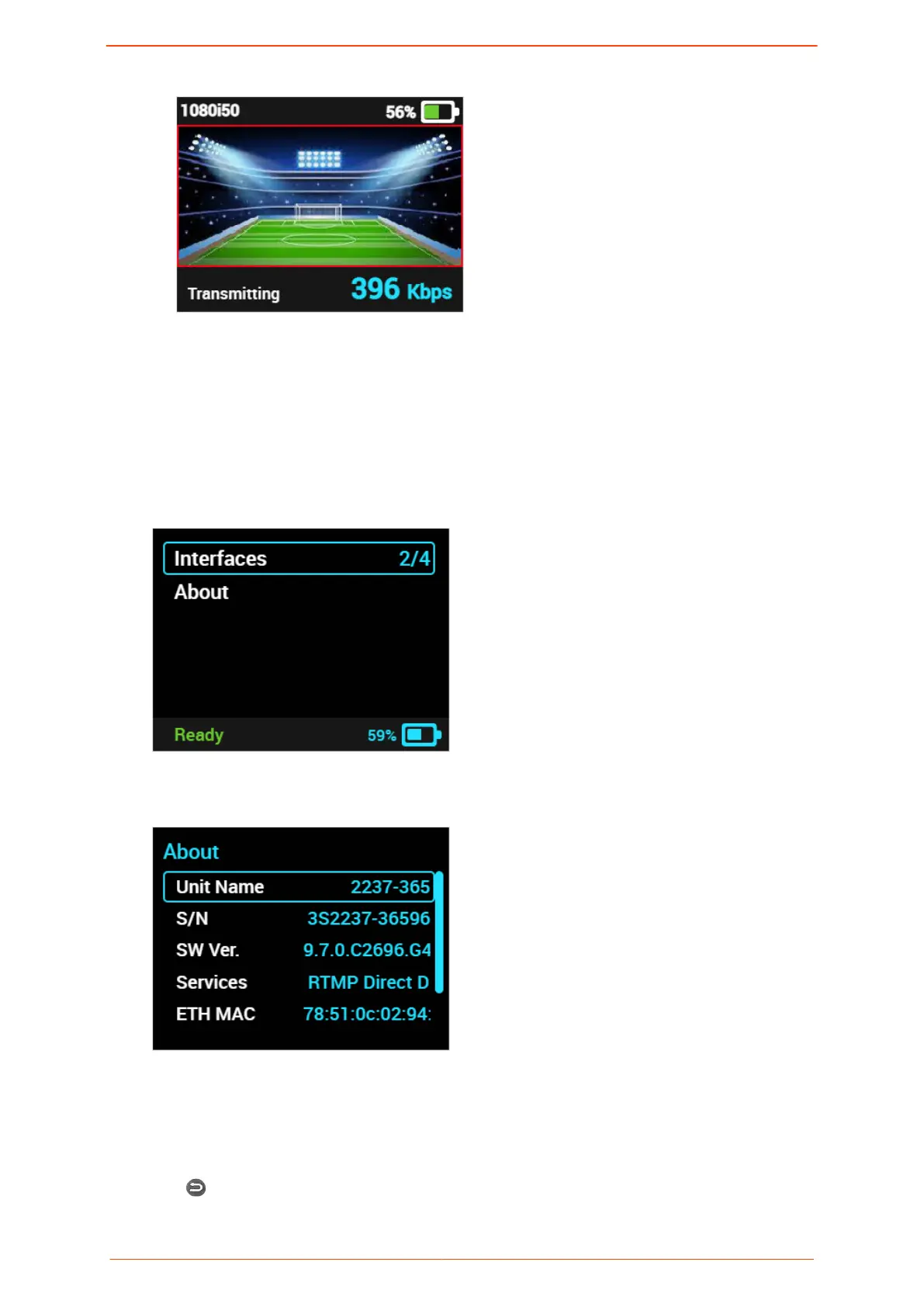
1. In the Home screen, press the JOG.
The Solo PRO main menu is displayed. Battery status is displayed at the bottom of the
screen.
2. Turn the JOG clockwise to select About and then press the JOG.
The About screen displays information about the unit.
3. Do any of the following: .
▪ Turn the JOG clockwise to move the selection bar down the screen, highlighting
each item.
▪ Turn the JOG anti-clockwise to move the selection bar up the screen or press Back
to return to the main menu.
Around the Solo PRO Home screen
Solo PRO User guide 17


 To Next Page