Managing network connections
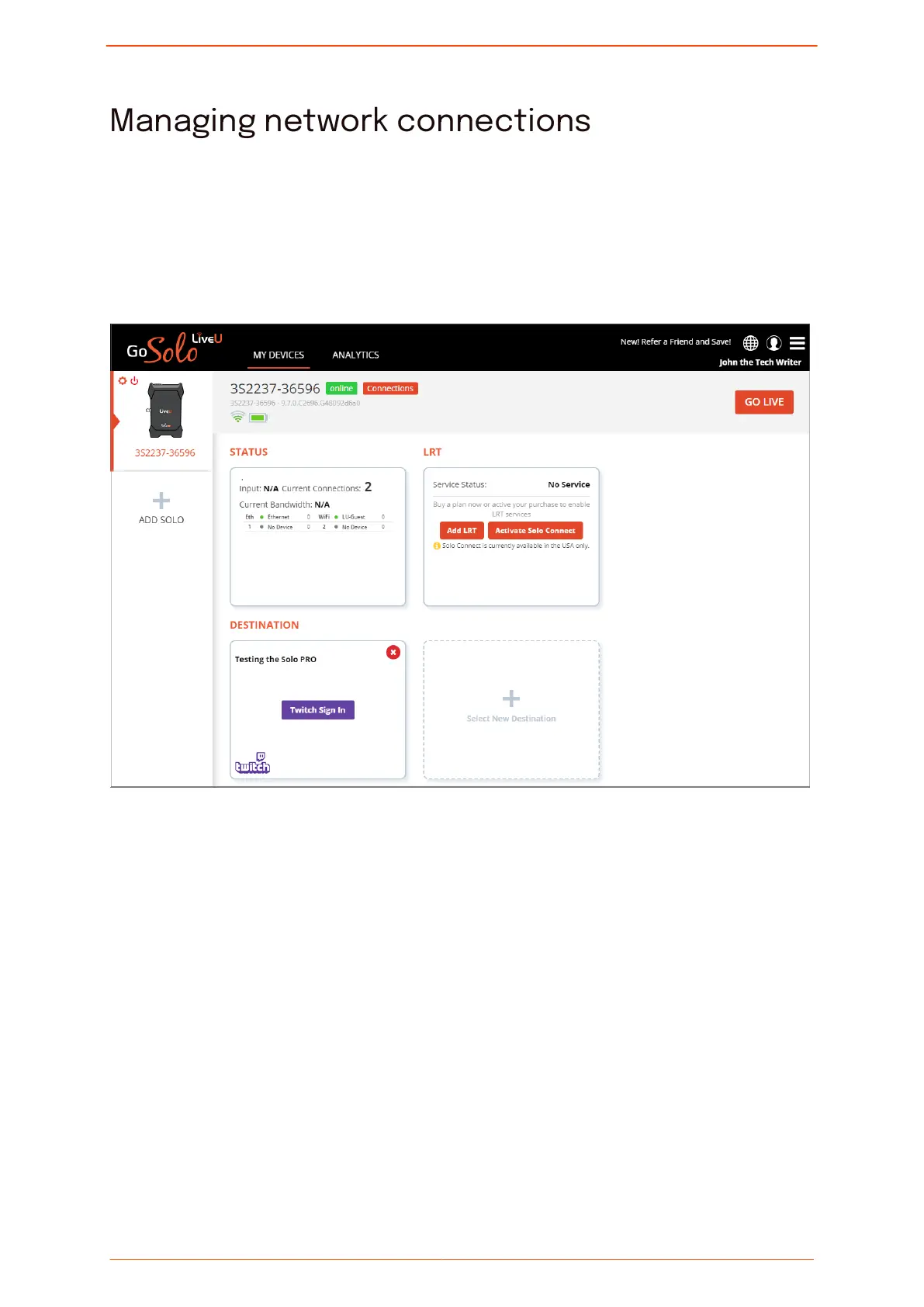
In the main screen of the Solo PRO portal, you can view and modify the status of your
network connections.
At the top of the screen, the unit's battery status and the network interfaces to which you
are connected are displayed.
To manage network connections:
1. At the top of the main screen, click Connections.
The Conguration screen is displayed.
Managing network connections
Solo PRO User guide 22


 To Next Page