Around the Solo PRO Home screen
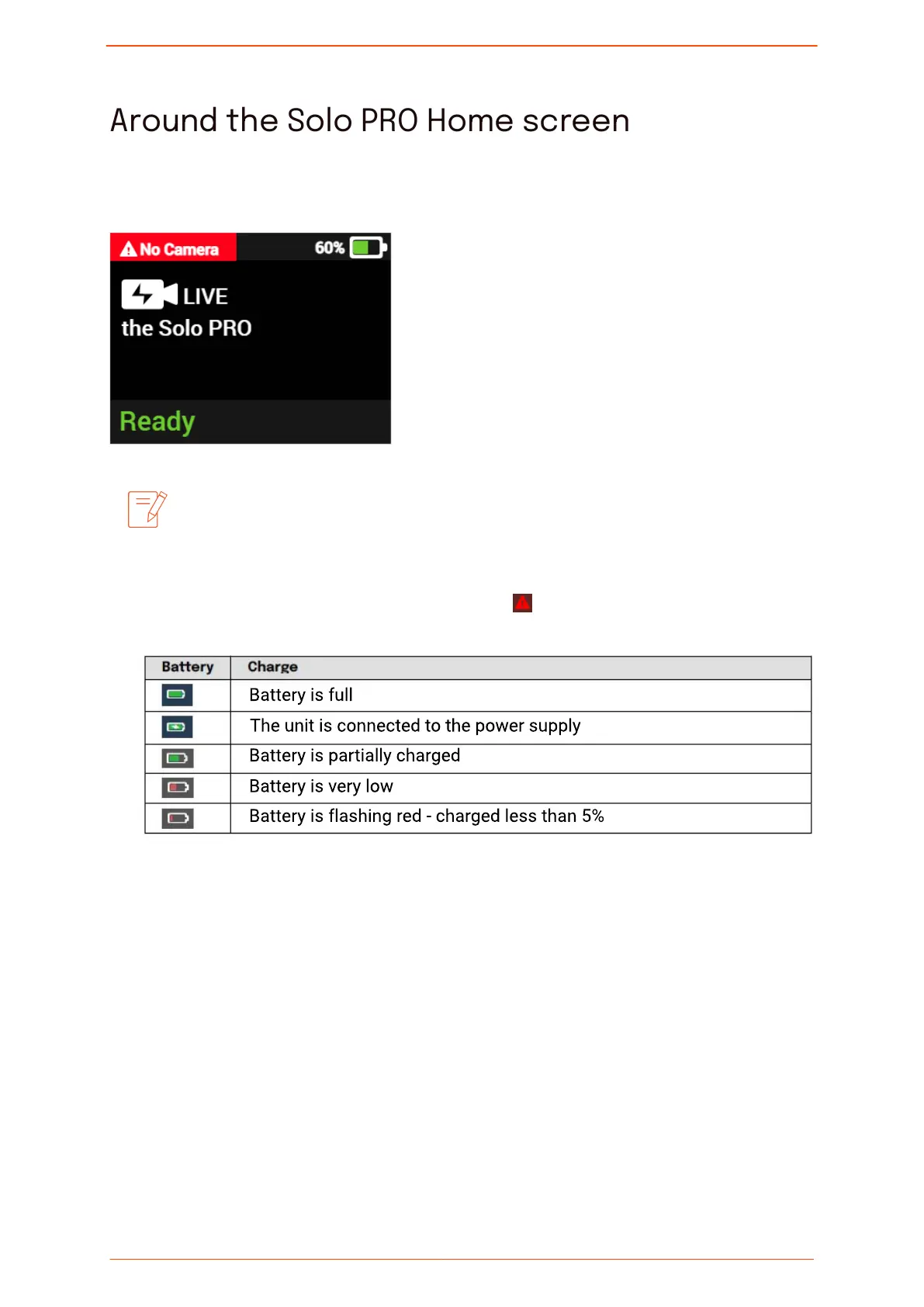
After powering on the Solo PRO, the Home screen is displayed.
The camera can be connected to the Solo PRO before or after powering
on the unit. When connected, the video feed is automatically detected
by the unit and is displayed in the preview screen.
▪ Alert: The cause of the alert is displayed next to
▪ Battery status:
▪ Bottom status bar: Indicates the status of the unit, as follows:
•
Ofine: The unit is not connected to the network or is in the process of connecting
to a network.
•
Ready: The unit is connected to the network and ready to stream.
▪
Streaming: The screen displays the following information:
•
Resolution and battery status
•
Video preview
•
Transmission rate
Around the Solo PRO Home screen
Solo PRO User guide 16


 To Next Page