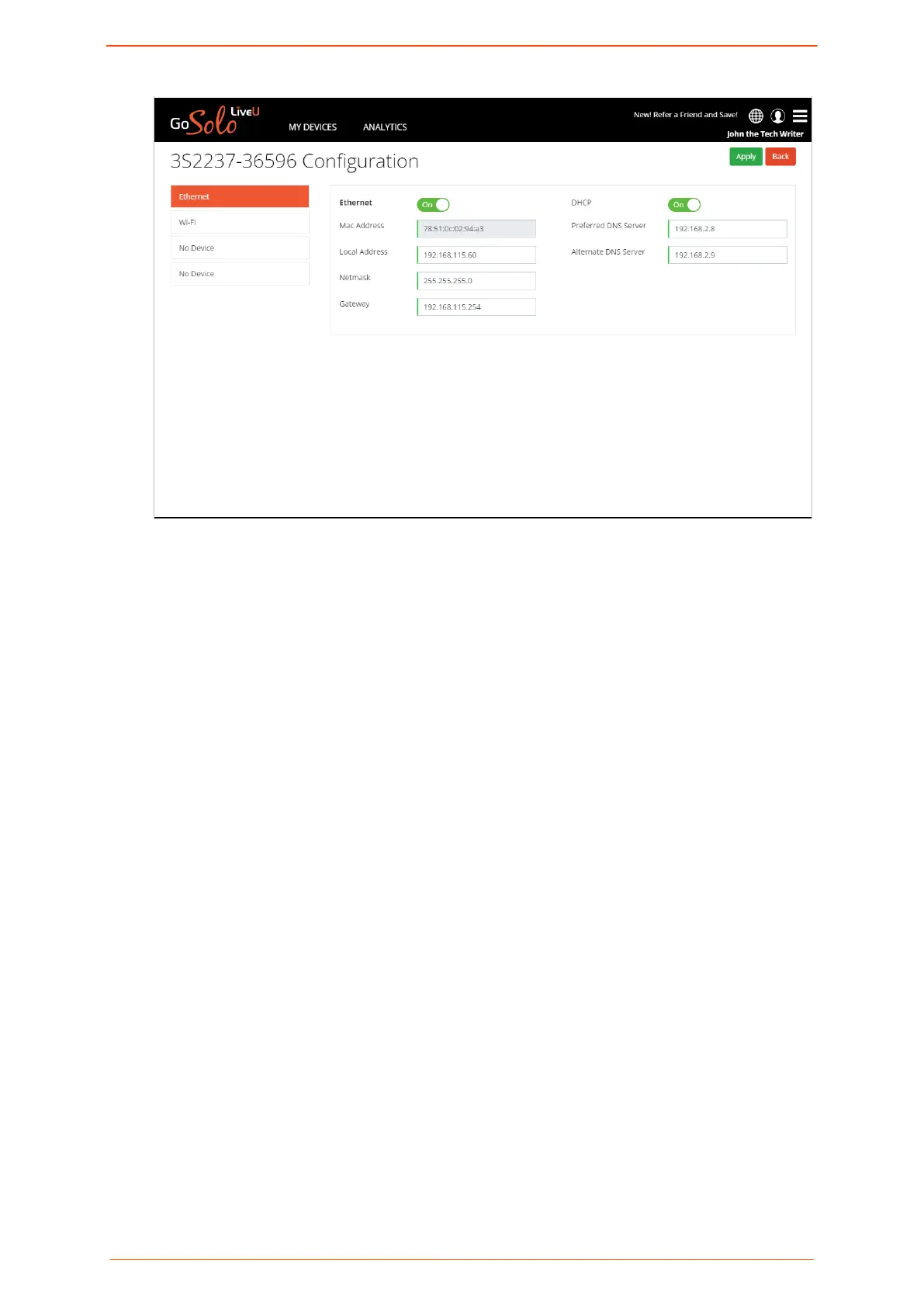
The screen displays information about your unit and your current network
connections.
2. From the list on the left of the screen, select the network interface you want to view
or modify.
Information about the selected network interface is displayed in the pane on the right.
3. Click Apply to conrm any changes.
Managing network connections
Solo PRO User guide 23


 To Next Page