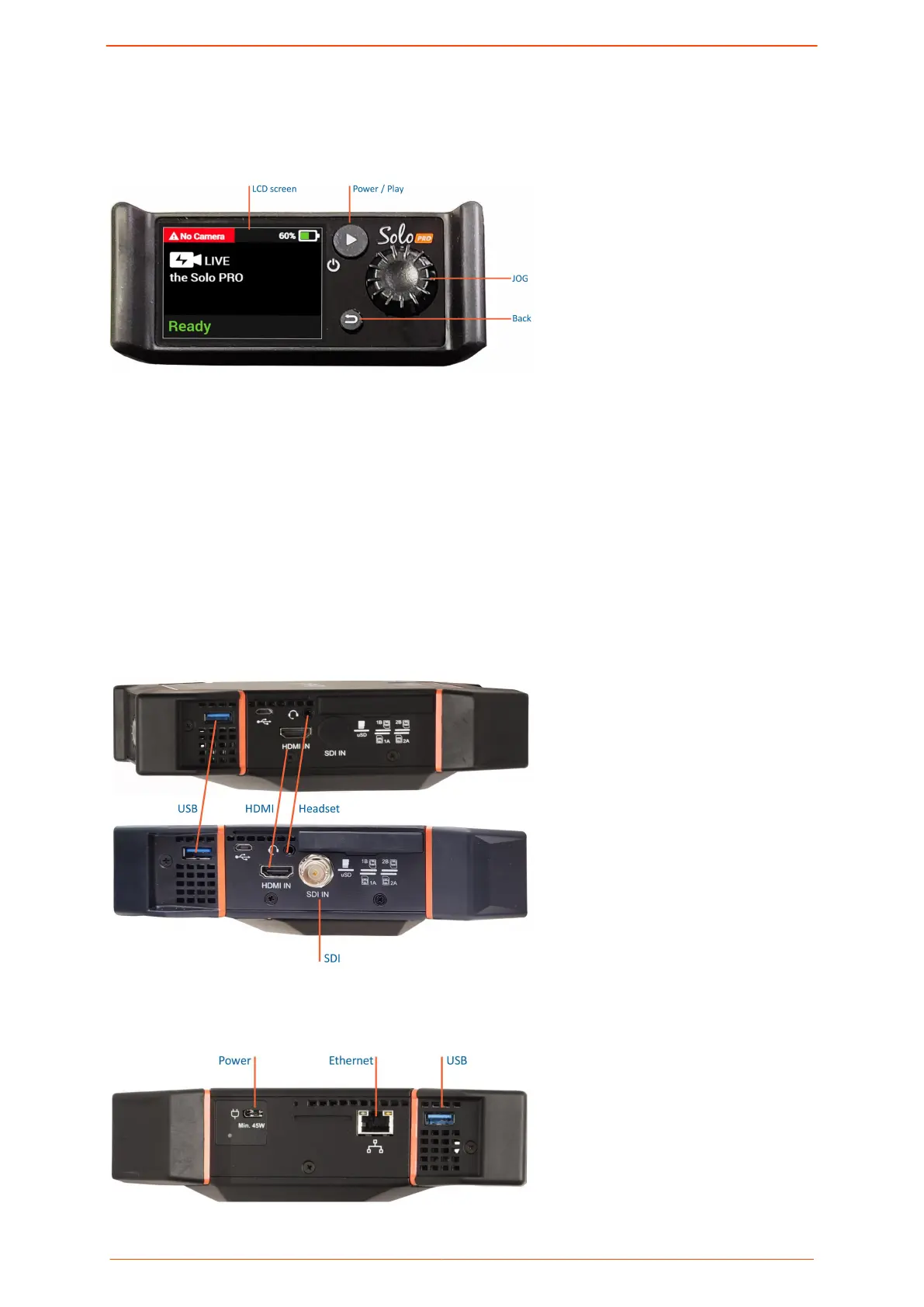
Solo PRO front panel
The following gure shows the Solo PRO's front panel.
▪ LCD screen: Displays the streaming video
▪ Power / Play: Toggles between ON / OFF and starting / stopping transmission
▪ JOG: Navigates among the menu options.
▪ Back: Returns to the previous screen.
Solo PRO hardware connections
The following gure shows the right panel of the unit and the respective connections of the
Solo PRO HDMI and the Solo PRO SDI.
The following gure shows the connections on the left panel of the Solo PRO.
Overview of the Solo PRO
Solo PRO User guide 5


 To Next Page