Enter to goes back to
system function.
Enter to goes back to
system function.
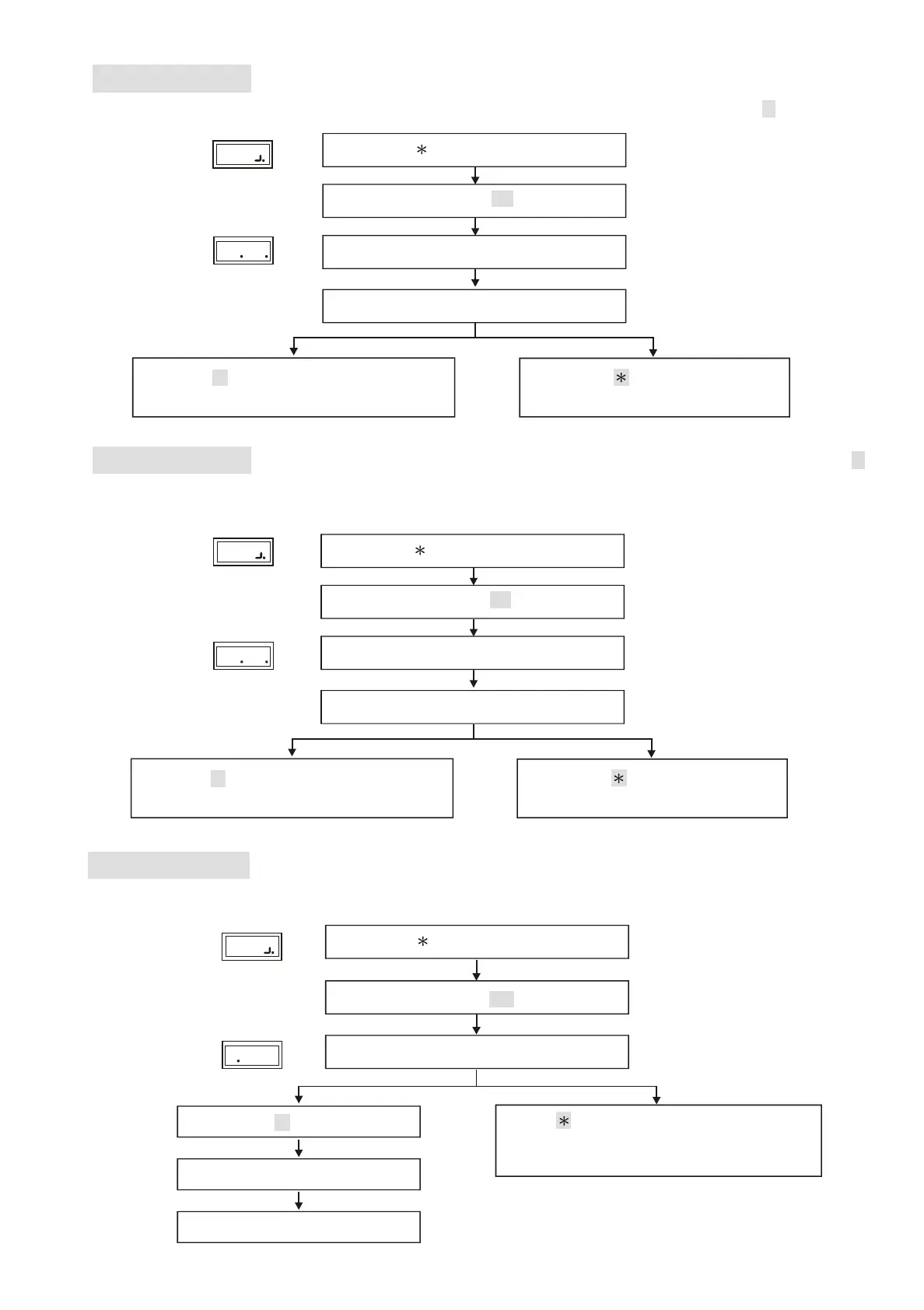
Function (18) Main Reader Location
Function (28)
To show the location of the reader: (0) Indoor, (1) Outdoor. (default value as 1 )
Enter 18
Enter main reader location code. (0 or 1)
0
Display
18
1
Display
Display
28 0
Display
Display
Display
Enter # system password #
Enter # to confirm
Back to system function selection.
Display Card Number Mode: (0)ON,(1)OFF. (default value as 0)
Card number is not displayed on the screen when it is set as OFF.
Enter # system password #
Function (00) Instant Door Open
Authorized personnel could get into the setup mode to open the door for emergencies.
Enter or any key to clear.
It goes back to system function selection
when nothing is entered.
Enter 00
Open door
Back to the display screen
11
Display location code
Enter 28
Enter Display Card Number Mode (0 or 1)
Enter # system password #
Enter # to confirm
Back to system function selection.
Enter # to confirm
Display Card Number Mode
Display System Door Open
Lock Control - Kouterbaan 63 - 1840 Malderen - Belgium - Tel. +32 52 57 43 02 - info@lockcontrol.be - www.lockcontrol.be



 To Next Page