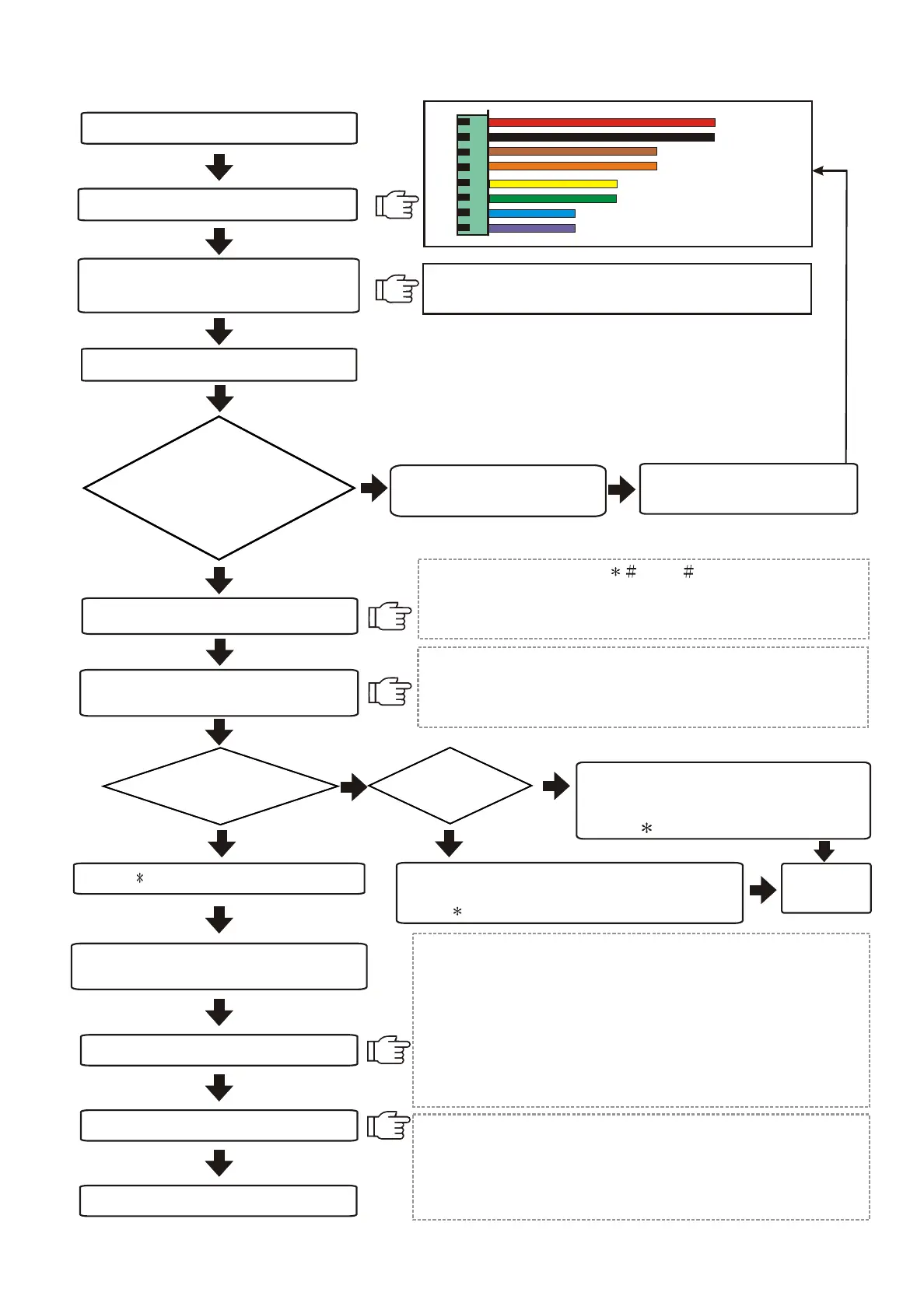
2.Installation procedures
Mount the unit (Page 17)
Wiring (Page 13~16)
Power supply to the reader
Enter setting mode
Adding new cards(standalone)(Page 6)
If not, disconnect the
power supply immediately.
Ensure the adapter's voltage
and polarity are correct.
R
BK
BR
O
Y
G
BL
P
12VDC
GND
Enter system password ( 5678 ), then a beep sound
and yellow indicator light to enter into setting mode.
If there isn't any activation, this system will automatically
escape from the setting mode.
Door open Relay output jump
(Page 13)
Door Open Relay output as N.O.(default)
Default reader number is 001. Enter 10 and then 3-digit
reader number to change reader number(each reader
has its own reader number for software to recognise ).
Operation with
computer online
Standalone
mode
Deleting cards
(standalone)
(Page 6)
Enter 01 and proximity card or enter
card number. One beep sound to
complete registration.
Press button to escape.
Enter 02 and proximity card or enter card number.
One beep sound to complete deletion.
Press button to escape.
Completion of setting
NO
NO
YES
YES
Check if power
(RED)indicator is on.
Then, the screen will
show time
Completion
of setting
Press button to exit setting mode
Activate the software
(default account:USER,password:0000)
Add new user and reader
Send all settings to the reader
Send all data to the reader when all settings are
completed in order to operate.
Data which need to be sent are:1. Time 2. User's data
3. Time Zone 4. Parameter
Pleas
e refer to the software manual for detailed operation.
1.Default reader number is 1 and communication interface is
Com1 when entering into the software.
2.Reader n
umber 1 will respond when both interface and time
are correct. Please check the wiring and its interface and
reader number when there is no response from the reader.
3.Clic
k Basic Information setting ->User->Add new user
Information / Data.
4.Click Basic Information Setting ->Reader->Add New Reader.
Reader number or change reader
number(Page 8)
Wiring
Communication
Door open RELAY
Wiegand input
3
Lock Control - Kouterbaan 63 - 1840 Malderen - Belgium - Tel. +32 52 57 43 02 - info@lockcontrol.be - www.lockcontrol.be



 To Next Page