4.Operation instructions
Start reader It begins self-testing function when power is on. Display current time
on the screen when it is completed.
Proximity : Sense the card near the unit. The following states are shown below.
A. Green
light (OK) is on to display card number and open the door.
It
is a valid card.
B. Continuous
beep sound (DENY). It shows invalid or unregistered card or inval
id
time
or under access control.
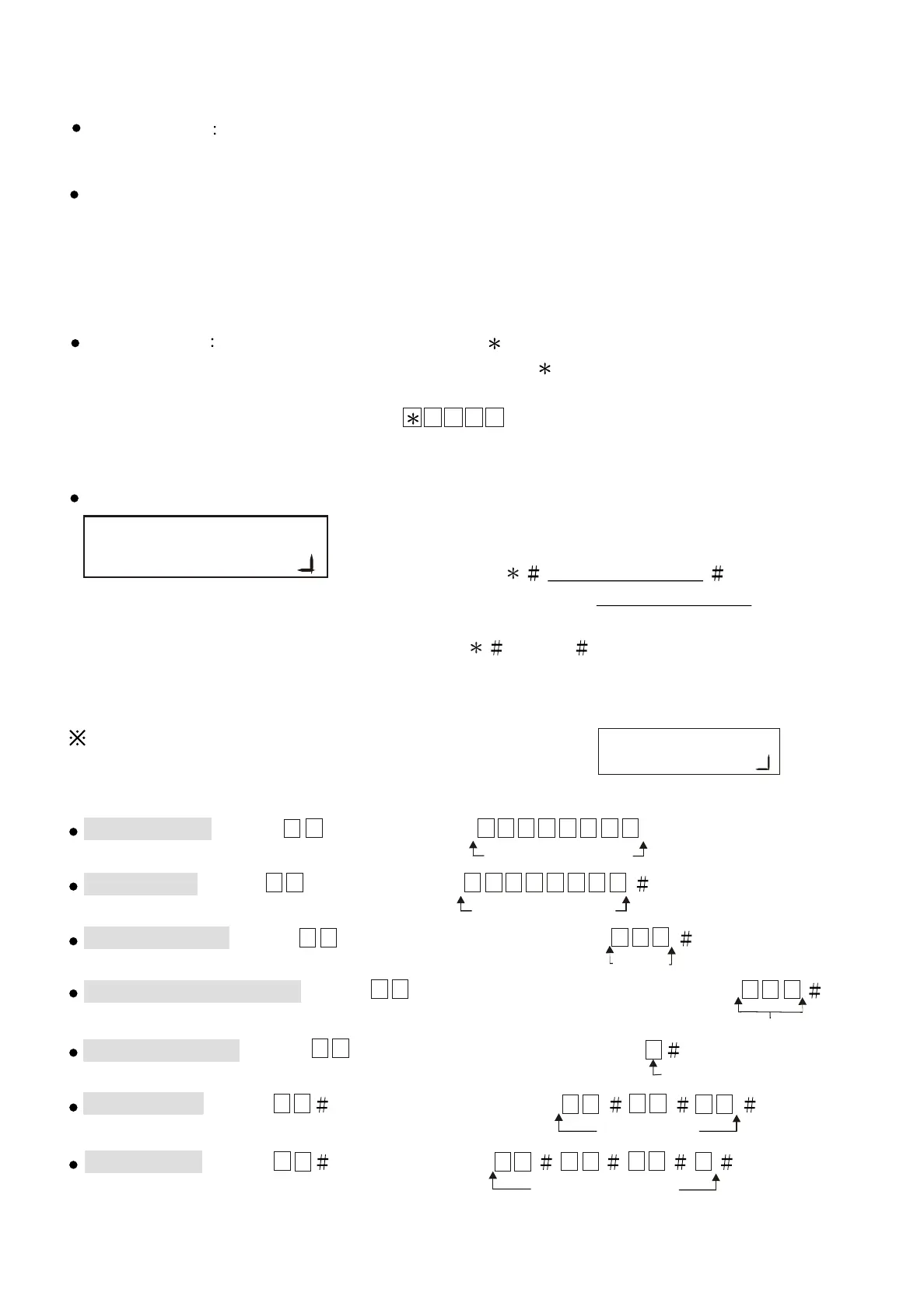
Anti-duress When under duress, presses button before entering password
to activate alarm. (Default value of duress code is , it can be changed by user)
Example : Anti-duress code is 1, password is 1 2 3 4. In order to activate anti-duress
alarm, user should key in 1 2 3 4
.
Note:This function is only available for Door Open Mode 3-proximity and password mode.
Setup mode:
User must enter into setting mode first before changing
any system functions.
User must enter system password for system
function selection. Default system password as 5 6 7 8 .
(Example: User can enter into the set up mode
by entering 5 6 7 8 ).
Add new card , enter 0 1 and then enter 0 0 0 0 0 0 0 1 or proximity card.
8-digit card number
Delete card , enter 0 2 and then enter 0 0 0 0 0 0 0 1
8-digit card number
Door open time , enter 0 4 and then enter the seconds 0 0 3
Seconds
Change reader number , enter 1 0 and then enter the reader number 0 0 2
Door open mode , enter 0 5 and then enter the mode code 2
Door open mode
Time setting , enter 1 5 and then enter the time 1 3 0 0 1 5
13:00:15
Date setting , enter 1 6 and then enter 0 0 0 1 0 1 6
2000/01/01 (6)
5.Quick setting
User must enter into the setup mode as the right diagram
shown
for any settings to be set.
.
Reader number
..
5
Lock Control - Kouterbaan 63 - 1840 Malderen - Belgium - Tel. +32 52 57 43 02 - info@lockcontrol.be - www.lockcontrol.be



 To Next Page