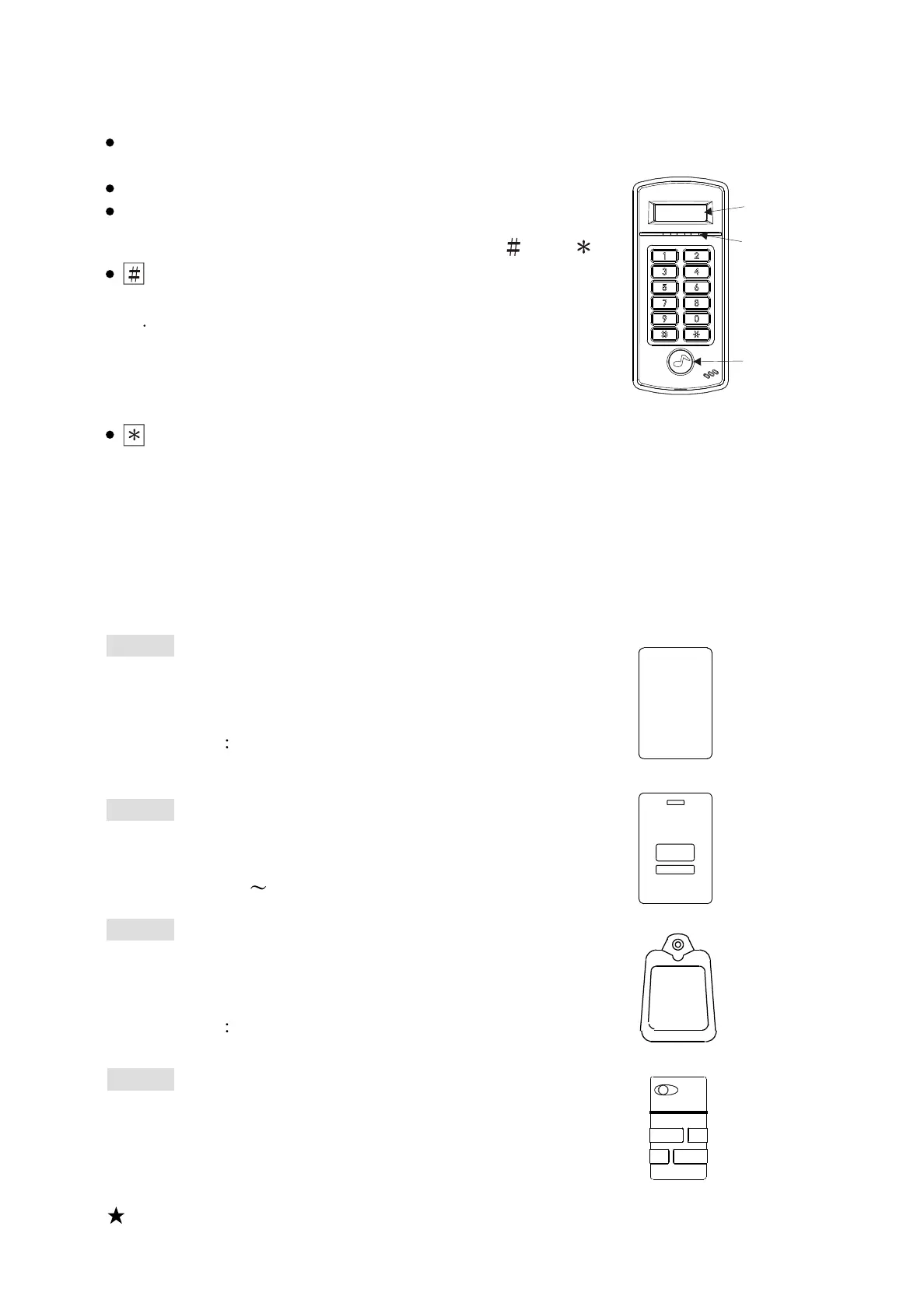
3. Reader front panel & types of proximity card
(1) Front Panel Indicator Lights
POWER (Red) : Power indicator(On).
Operation error (Flashing).
OK (Green) : Door open indicator.
STATUS (Yellow) : Enter system setting mode.
(2) 10 entry (button), two function keys : " " & " ".
key:
A. Enter data confirmation button (ENTER)
B Card number will be displayed on the screen when
the card is proximity and # button is pressed.
(The function is available when "Display Card Number
Door Open Mode" function is set as ON;
please refer to P9 for setting Function 28).
key: clear or escape button (CLR/ESC)
Display Screen
LED Lights
Door Bell
Push Button
(4) Types of proximity card
SC-30
Key tag, dimensions: 51L X 32W X 7.8H (mm).
Ultrasonic connection, waterproof,
shock- proof. Read range :
EM 125KHz 2~3.5cm
Mifare 13.56MHz:1.5~2.5cm
SC-20
Thick card, thickness of 1.78 mm, ISO standard
card dimensions. Read range :
EM 125KHz : 5 7cm
SC-10
Thin card, thickness of 0.8 mm, ISO standard
card dimensions. It can be printed directly
from card printer. Read range :
EM 125KHz 5~ 7cm
Mifare 13.56MHz:3~5cm
SC-50
Key tag, dimensions: 46L X 25W X 7H (mm).
Ultrasonic connection, waterproof,
shock- proof. Read range :
Mifare 13.56MHz:1.5~2.5cm
ST-780 :125KHz EM-Marin format
ST-780MF:13.56MHz Mifare SOCA format
ST-780MH:13.56MHz Mifare SOCA V.2 format
ST-780M :13.56MHz Mifare format
(3) Model series
The above read range stated is for reference and it is varied according to
the different environment it is used.
4
Lock Control - Kouterbaan 63 - 1840 Malderen - Belgium - Tel. +32 52 57 43 02 - info@lockcontrol.be - www.lockcontrol.be



 To Next Page