10
Set up facial recognition
Environment
Ensure the environment is well-lit but
not excessively bright.
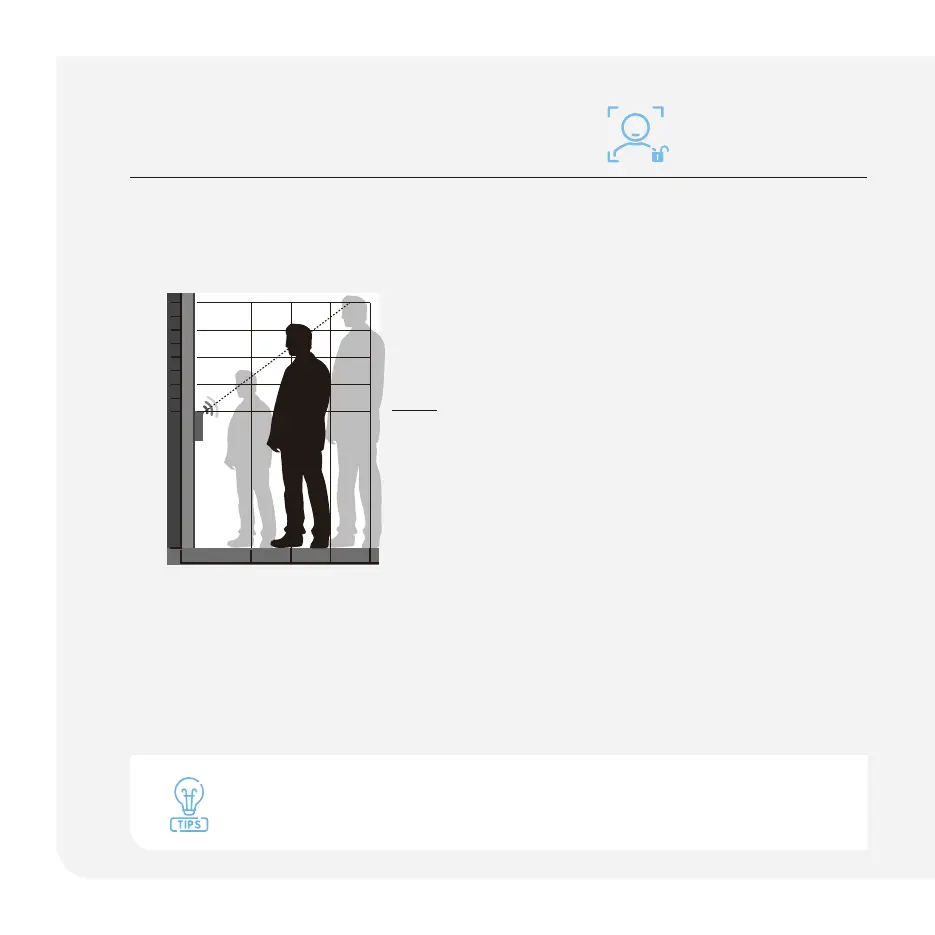
Facial recognition positioning:
For optimal recognition stand between
1 to 3 feet directly in front of the lock.
Use Lockly app to register a face:
Open Lockly app, register a new user and
follow the in-app instructions to add a
user's face.
0.4m 0.6m 0.8m
1.1m
1.3m
1.5m
1.7m
0m
1.9m
1m
If you have a twin or sibling that looks like you, or for children under the age of 13,
we recommend using a PIN code, fi ngerprint, or mobile app for authentication.



 To Next Page