9
Install battery & setup with app
STEP 1
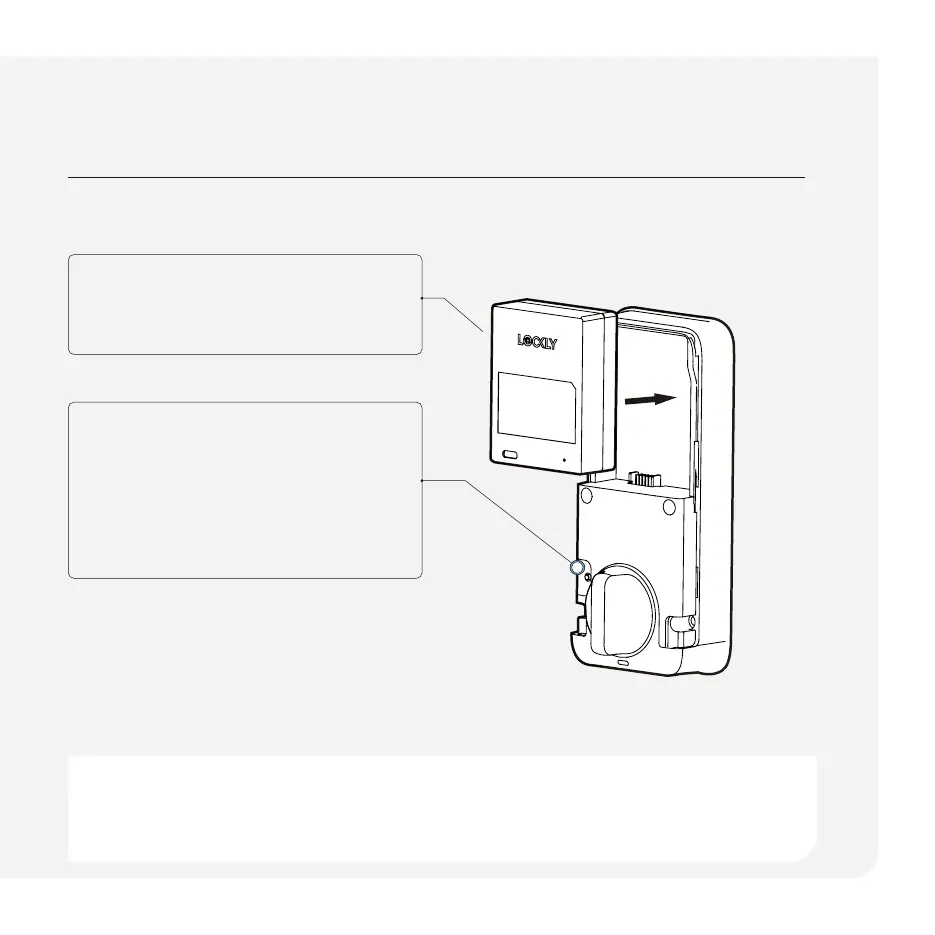
Slide the battery into the battery slot.
STEP 2
When powered, hold the Program
button for 4 seconds, the lock will
perform self diagnostics by extending
and retracting the deadbolt multiple
times.
STEP 3
Open the Lockly app, tap on plus (+)
to add a new device. Follow in-app
instructions.
After the lock has been powered on for 10 minutes, the Bluetooth connection will be
disabled and you cannot pair the lock with the Lockly app or Home app. To re-enter Pairing
Mode, either reinstall the battery or press the Program button. Reactivating Bluetooth
pairing can be done by tapping the 'BL' button on the keypad.



 To Next Page