Need help?
Do you have a question about the Lockly Vision PGD798SN and is the answer not in the manual?
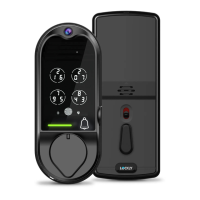
Details key features like video monitoring, patented keypad, fingerprint recognition, and voice control.
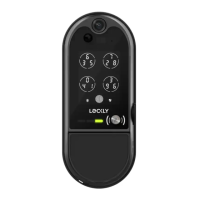
Identifies external components of the smart lock, including camera, microphone, and sensors.
Details the internal components of the smart lock, such as battery cover, buttons, and thumbturn.
Provides an overview of key functions and app pairing for the smart lock.
Explains how to turn the exterior keypad on or off for privacy and security.
Describes how to use the reset button for initial setup with a smartphone.
Explains the procedure to reboot the lock for malfunctions without losing settings.
Details low battery indicators, consequences, and solutions for the smart lock.
Provides step-by-step instructions for replacing the smart lock batteries.
Guides on setting up access codes for the smart lock, including default codes and limits.
Explains the process of registering fingerprints for secure authentication on the smart lock.
Offers guidance on correct finger placement for optimal fingerprint recognition.
Provides tips for fingerprint enrollment/recognition and troubleshooting poor scan conditions.
Details how to lock and unlock the smart lock using access codes via the keypad.
Explains the procedure for locking and unlocking the smart lock using registered fingerprints.
Describes how to use the physical key to lock and unlock the smart lock.
Guides on controlling the smart lock remotely using the LOCKLY smartphone app.
Details how to use voice commands with Alexa or Google Assistant to control the lock.
Explains how the lock enters Safe Mode after incorrect attempts and its basic function.
Outlines the four methods to disable Safe Mode on the smart lock.
Introduces the HD video doorbell feature, real-time streaming, and voice interaction.
Explains the unique feature of issuing access codes remotely without guest app download.
Describes how to grant limited access and control to others via Bluetooth.
Explains the process of re-keying the smart lock's cylinder with a DIY kit.
Covers auto-lock, one-touch locking, 9V backup, physical keys, and activation codes.
Provides DOs and DON'Ts for cleaning the smart lock touchscreen and keypad.
Lists crucial safety instructions for using the smart lock, including disassembly and battery disposal.
 General
| Type | Smart Lock |
|---|---|
| Finish | Satin Nickel |
| Connectivity | Wi-Fi, Bluetooth |
| Camera | Yes |
| Voice Assistant Compatibility | Amazon Alexa, Google Assistant |
| Keypad | Yes |
| Power Source | 4 AA Batteries |
| Two-Way Audio | Yes |
| Material | Zinc Alloy |
| Color | Silver |
| Lock Type | Deadbolt |
| Features | Remote Access, Auto-Lock |
| Security Features | Tamper Alerts |

 To Next Page