10
3.3 Fingerprint Scanning Directions
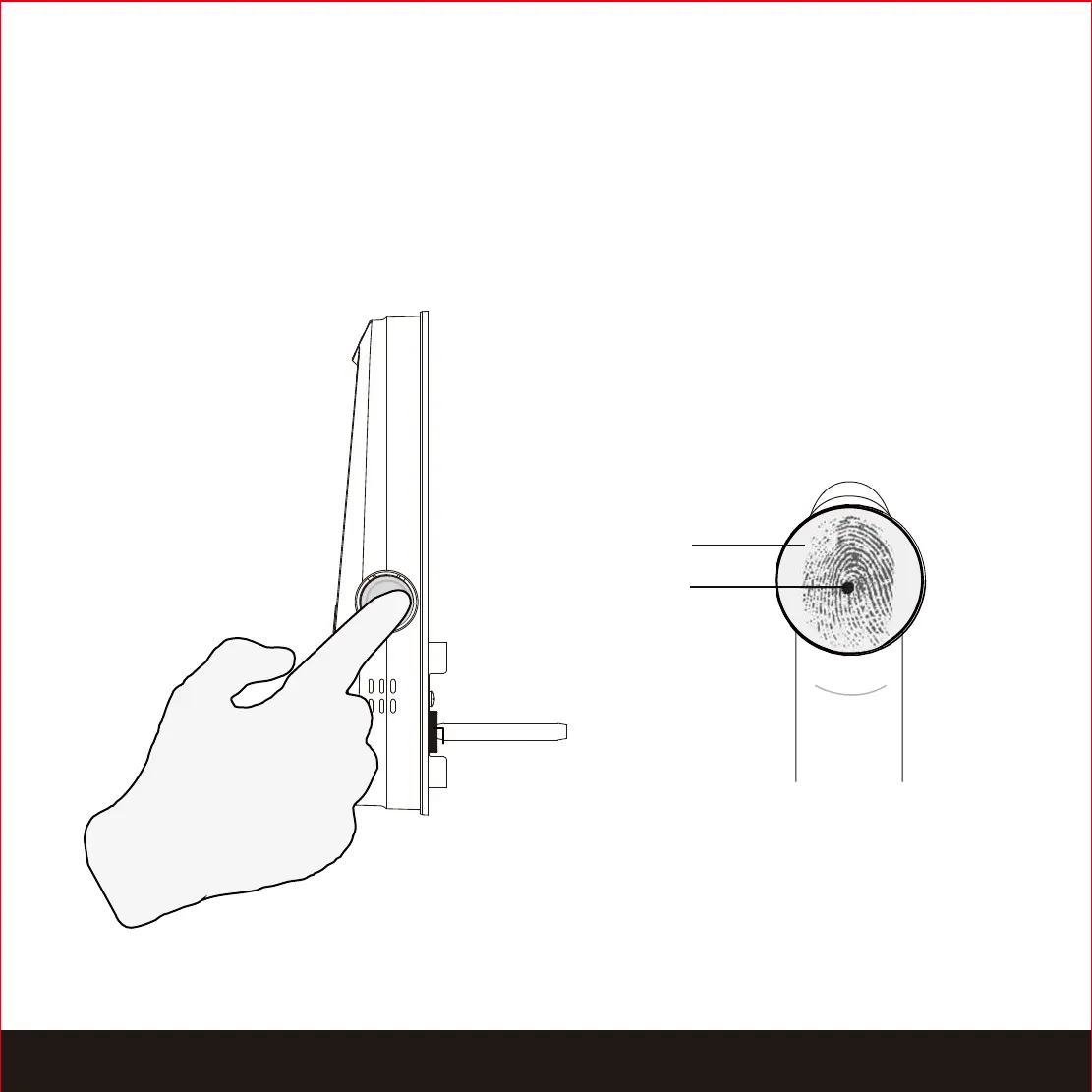
The fingerprint sensor equipped in your smart lock is loaded with powerful fingerprint
algorithms to extract only metadata from fingers, even in poor conditions. Placing your
finger on the sensor correctly helps consistency in fingerprint recognition. The following
directions and tips will guide you on how to scan an optimal fingerprint image.
Sensor
Core
Position your finger on the
center of the sensor
SECTION 3.3


 To Next Page